
Kajabi vs. Thinkific: Comparison of Two of the Best Online Course Tools
Are you looking for a way to successfully create, market, and launch your online courses?
Both Kajabi and Thinkific are among the top online course services, but which one is best for your business?
In this post, we will be comparing two of the best online course platforms and choosing the better tool based on their features and pricing.
Let’s get started!
1. What is Kajabi?
Kajabi logo
Kajabi is an industry-leading all-in-one online business platform for knowledge entrepreneurs.
Its purpose is to simplify building, marketing, and selling your courses, membership sites, coaching programs, and more.
Kajabi states that you don’t need to be a professional developer and there’s no need to worry about third-party integrations (unless you want to provide course completion certificates).
2. What is Thinkific?
Thinkific logo
Thinkific is an online course platform that allows you to create, market, and sell your own courses.
It gives you all the tools you need to independently manage and control the whole process, from creating your online course to getting paid for delivering it.
Thinkific is for all entrepreneurs and small businesses with a solid reputation and a dedicated, expanding following of customers.
Both Kajabi and Thinkific offer their users powerful solutions and tools for creating, marketing, and selling online courses — but which platform is best for your online course business?
Let’s find out!
3. Kajabi vs. Thinkific: Pros and cons

3.1. Kajabi’s pros and cons
Kajabi boasts a user base of over 40,000 Kajabi Heroes (people who use the platform to sell knowledge products).
Although a Capterra rating of 4.3/5 is pretty decent, let’s look at some pros and cons that have been stated by Kajabi users to see why it isn’t higher:
Pros

Provides an app for iOS and Android
All-in-one platform for course creation as well as marketing tools
Can host discussions and forums on membership sites
Diverse learning and teaching tools
Offers marketing automation
No transaction fees
24/7 customer support

Cons
The interface is difficult to navigate
Affiliate program isn’t available with the Basic plan
You need to use a third-party platform to offer course completion certificates
Credit scores for courses are uncertain
All websites come with Kajabi’s branding
All plans are quite expensive and the platform doesn’t offer a free plan
3.2. Thinkific’s pros and cons
The Thinkific platform is trusted and used by over 50,000 people and about 60 million students that have access to the courses.
With a Capterra rating of 4.6/5, here are some pros and cons that have been stated by Thinkific consumers:
Pros
Offers a forever-free plan that allows you to explore all its key features
There are no transaction fees
Unlimited students (even with the Free plan)
You get immediate access to your payouts
Simple and beginner-friendly interface
Cons
You have to integrate a third-party email provider to grow your mailing list
You need to integrate with a third-party tool to automate VAT payments
Limited customization options
Lacks efficient customer support
Limited marketing capabilities
Both Kajabi and Thinkific are similar in that they offer their users intuitive tools to create and sell courses.
These platforms, however, don’t come without flaws.
Just by looking at the two platforms’ pros and cons, we’ve concluded that this comparison is not to see which platform is best, but rather which platform is best for a certain entrepreneur or business.
In the next section, we’ll have a more in-depth discussion on all the features Kajabi and Thinkific have to offer.
4. Comparing the features
To get an idea of how Kajabi and Thinkific work, here’s a comprehensive tour of their core features and how they can help you build a thriving online business.
4.1. Online course creation
Any online course platform’s backbone is its course creation features.
Let’s take a look at how these two platforms perform.
4.1.1. Kajabi’s online course creation
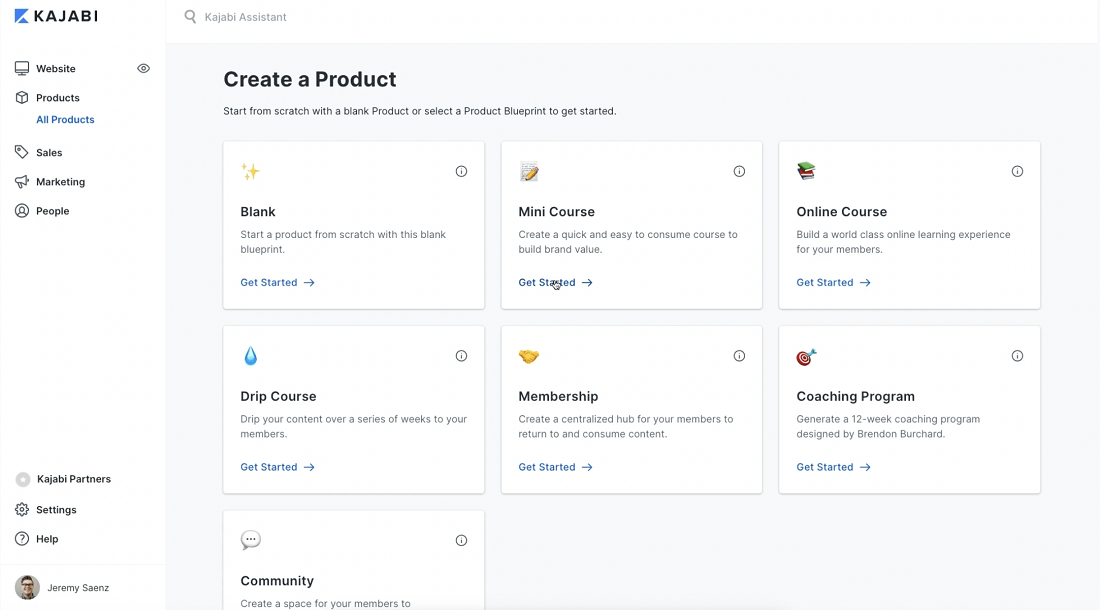
Kajabi course builder
With its world-class online course builder, Kajabi makes it easy to turn your content into a professional-looking online course, membership site, or any other digital product.
Kajabi offers tools to create online courses, membership sites, coaching programs or to offer products — which include:
Drag-and-drop editor — Simply drag and drop elements onto your course with this easy-to-use tool
Pre-designed templates — Kajabi offers Product Blueprints which you can choose from to start building your online course; be it a mini-course or full-blown signature program
Lesson type options — Your lessons can be in the form of a video, audio, text content, a downloadable file, or an assessment
Customizations — Kajabi offers loads of customization options, such as adding a logo, an image, a color theme, the instructor picture, along with a unique course URL to your online course
Free trials — Offer your potential students a free trial to your online course without them having to pay upfront
Automation — Send targeted automated emails to your students and automatically tag your audience based on set conditions
Custom domain — Host your online course on your own custom domain
Mobile app — The Kajabi mobile app gives your customers access to your courses wherever they are
Kajabi’s course builder provides a variety of online courses to build:
Mini-course — A quick, brief course that provides a sneak peek of what your online course business has to offer
Online course — A comprehensive online learning experience
Evergreen training — Multiple training sessions shared over a set period of time
Membership — A membership-based online course delivery platform
Community — A social group that your students can join and communicate with one another
Coaching program — A 12-week coaching program template
With these features, you have complete control over your course content and design.
4.1.2. Thinkific’s online course creation

Thinkific online course builder
With Thinkific’s course builder, you can create your online course without any coding or developing skills — they take care of the tech so that you can get back to teaching.
Bring your visions to life with advanced features such as:
Drag-and-drop course builder — Build online courses in no time with Thinkific’s drag-and-drop tool
Themes — Pick one of the pre-configured themes available to help you organize your content
Drip content — Gradually release content instead of giving it all away at once
Custom course pricing — Choose between offering free content or requiring a one-time payment for access to your courses
Assess your students — Create quizzes, surveys, assignments and/or exams for your students to partake in
Learning content options — With Thinkific’s course creator, your lessons can be in the form of a video, audio, text content, a downloadable file, presentation, multimedia or live
The pre-built templates cover courses such as:
Blank — Start your online course fresh and customize it to your specific curriculum needs
Mini-course — Use a free or low-cost course to introduce your business or flagship courses
Flagship course — Create a comprehensive online course using a detailed curriculum outline
Presale — Build presale landing pages and start growing your waitlist for your courses
Digital download — Add downloadable files to your online courses
Membership resource library — Insert files that are only available to membership users
Webinar replay — Host your webinar replay video to allow your students to review your presentation and offer
All of the templates are easily customizable and Thinkific offers tips to help you create the ultimate online course — they can be switched off if you prefer.
Both Kajabi and Thinkific know that you can’t have an effective online course without a brand behind it, which is why they’ve also turned their attention to website design.
4.2. Website design
The main platform for engaging and converting your target audience into buyers is your course website.
Here’s how Kajabi and Thinkific stack up against each other.
4.2.1. Kajabi’s website design
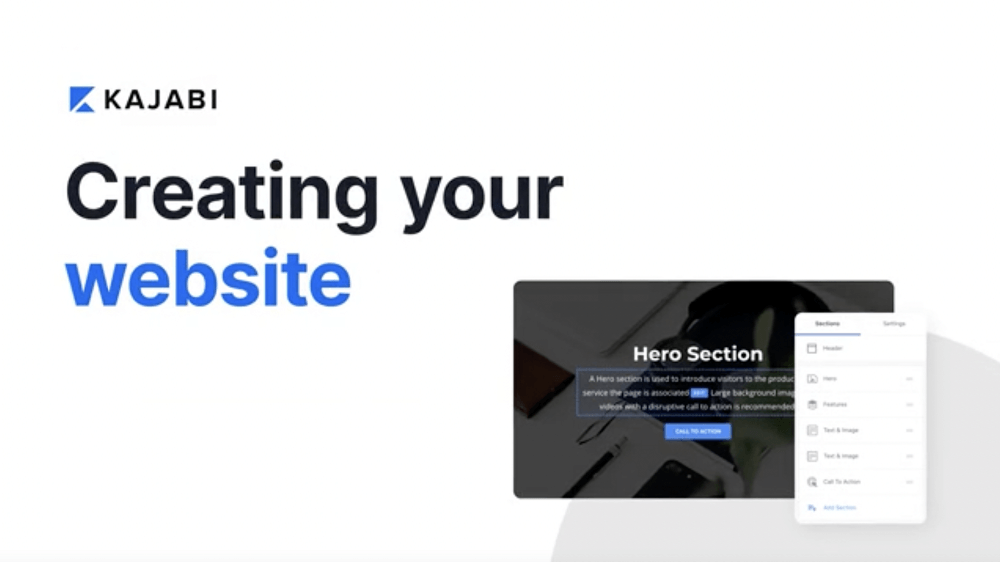
Kajabi website design
Kajabi provides a sophisticated website builder that allows you to design your own website that is fully linked with your entire business.
With Kajabi’s website builder, you can:
Use the drag-and-drop editor to edit your course website
Showcase your products
Publish your course content
Include your terms and conditions
Customize your domain so that your website can build authority and be found online easily
Kajabi provides pre-designed templates that you can pick from and edit to your heart's desires:
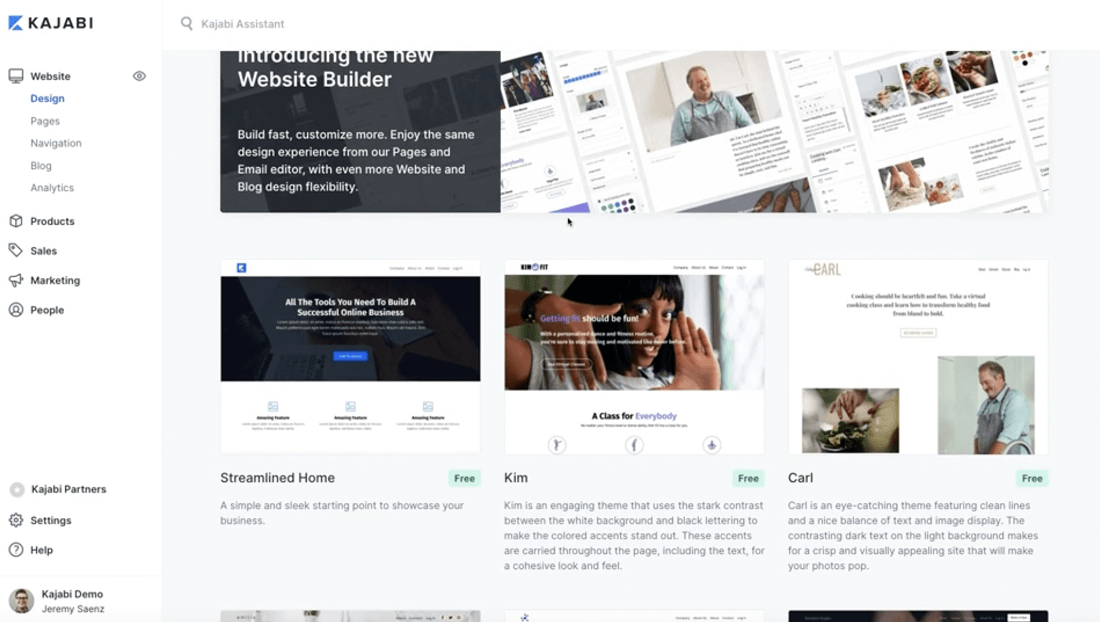
Kajabi website building templates
The editor utilizes drag-and-drop page blocks to simplify the editing process.
You can add elements like:
Images
Text sections
Call-to-action buttons
Columns
Sections
And more.
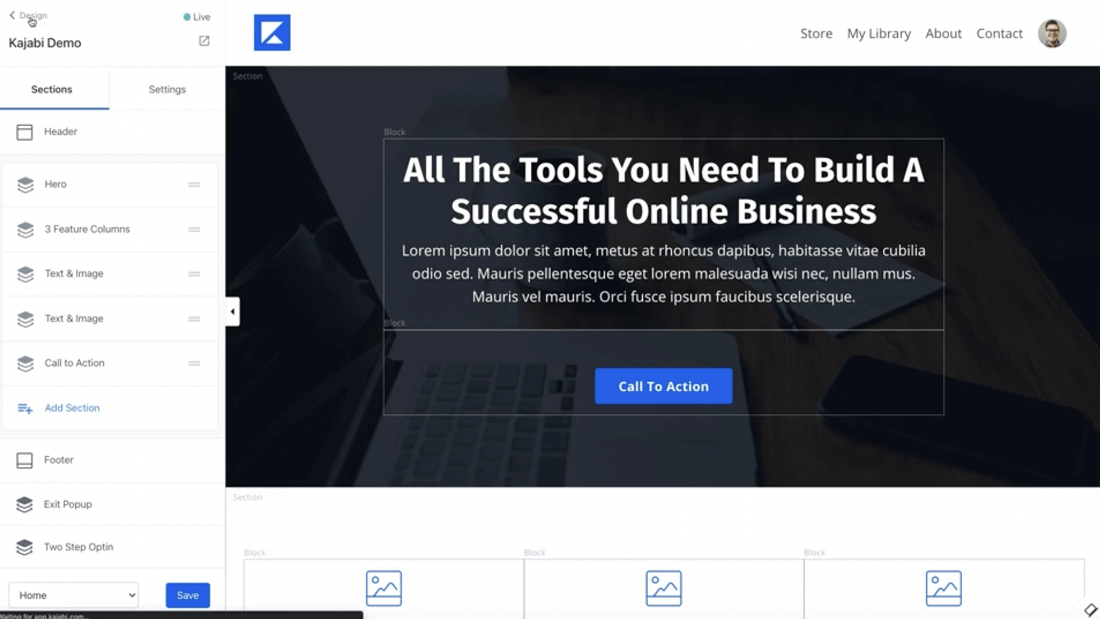
Kajabi website builder
Here are a few reasons we don’t like Kajabi’s website builder:
All websites come with Kajabi’s own branding
Fonts need to be bought from Kajabi
Custom domains are only available with higher subscription plans
The cheapest plan limits you to creating only one website
4.2.2. Thinkific’s website design

Thinkific website design
Thinkific’s site builder, and its drag-and-drop editor, allow you to easily create attractive-looking custom pages for your online business.
Here are a few features included in Thinkific’s site builder:
Website themes — Pick one of the pre-built website themes to give your pages a professional look
Advanced customizations — Create a brand for your business that looks great and fits perfectly with Thinkific’s styles and customizations
Set your own domain — Add your own professional domain and remove all Thinkific branding
Connect your tools — Integrate an already existing website, mailing list or CRM with Thinkific’s platform
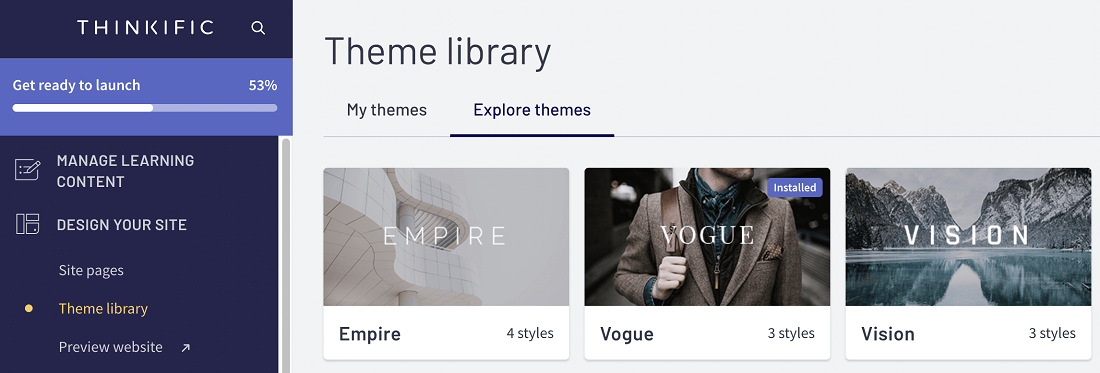
Thinkific theme library
On the downside, Thinkific only offers 3 template options, which means that your website might look similar to others.
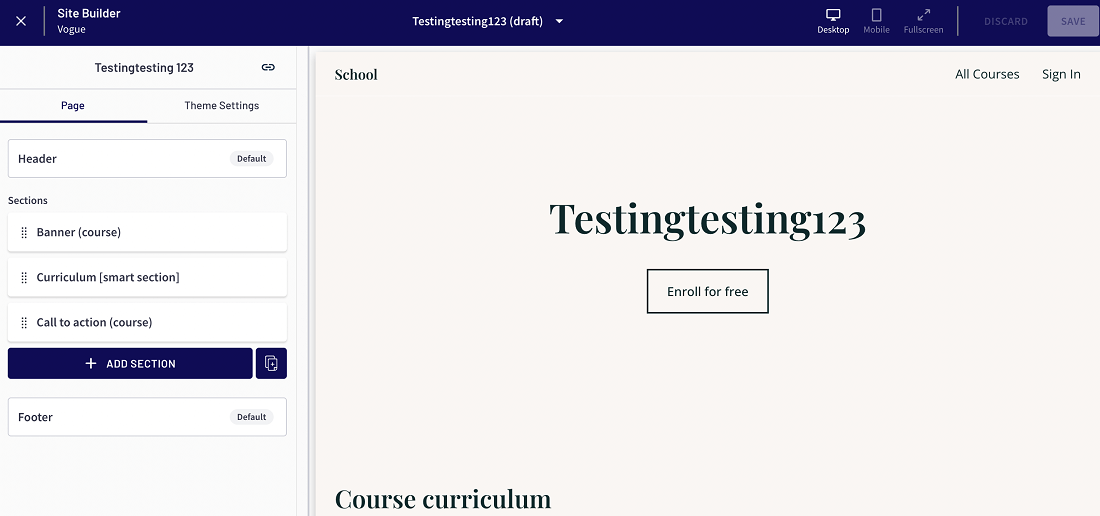
Thinkific website builder
There are 7 core elements provided to create professional-looking landing pages:
Banner creation
Course description
Test display of your course curriculum
Instructor bio section
FAQ section
Social proof
CTA buttons
4.3. Sales and marketing tools
You can have the best-looking website and course, but without a solid sales and marketing strategy, you won’t attract any customers.
Here are the sales and marketing features that Kajabi and Thinkific offer.
4.3.1. Kajabi’s sales and marketing
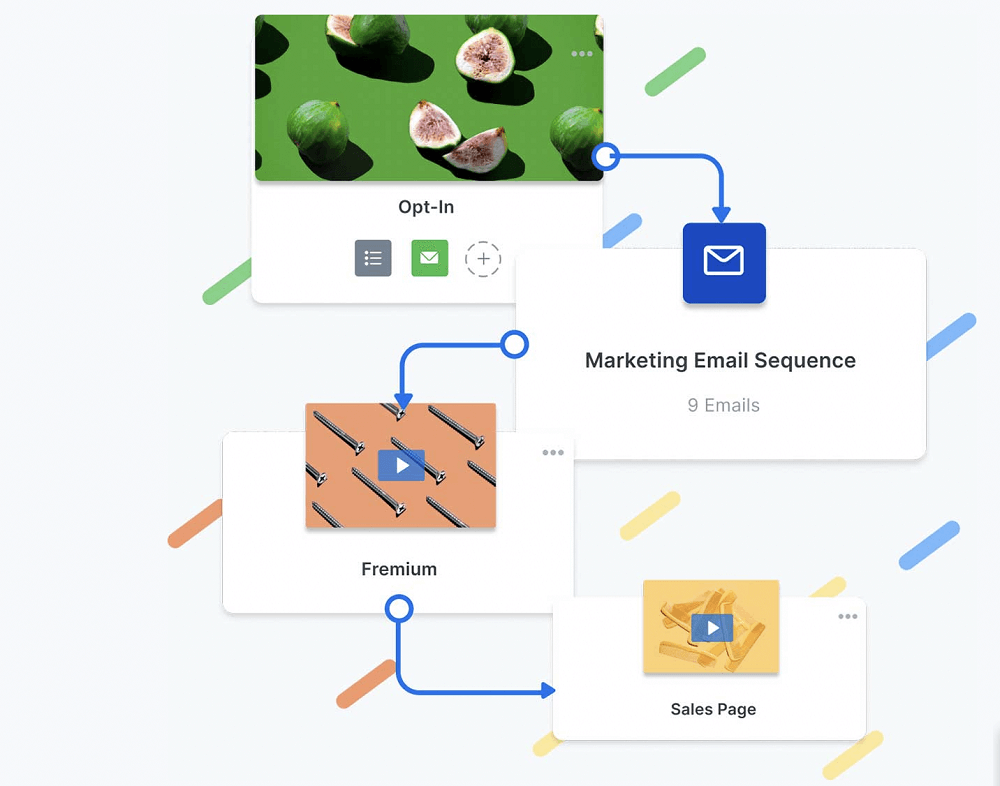
Kajabi marketing and sales tools
Marketing is one of Kajabi’s main strengths and a primary reason why it’s considered better compared to other course platforms.
Kajabi’s email marketing tools include:
Email broadcasts — Send emails to multiple customers at once
Email sequences — Create automated email sequences that send condition-based emails to customers
Autoscaling — Providing more service to the customer without increasing the need for human resources. For example, a chatbot to help customers with common questions
Connecting your products — Add your courses to your emails to make it easier for your customers to purchase your products
Personalizing your content — Personalize your email to meet your personal requirements and those of your targeted audience
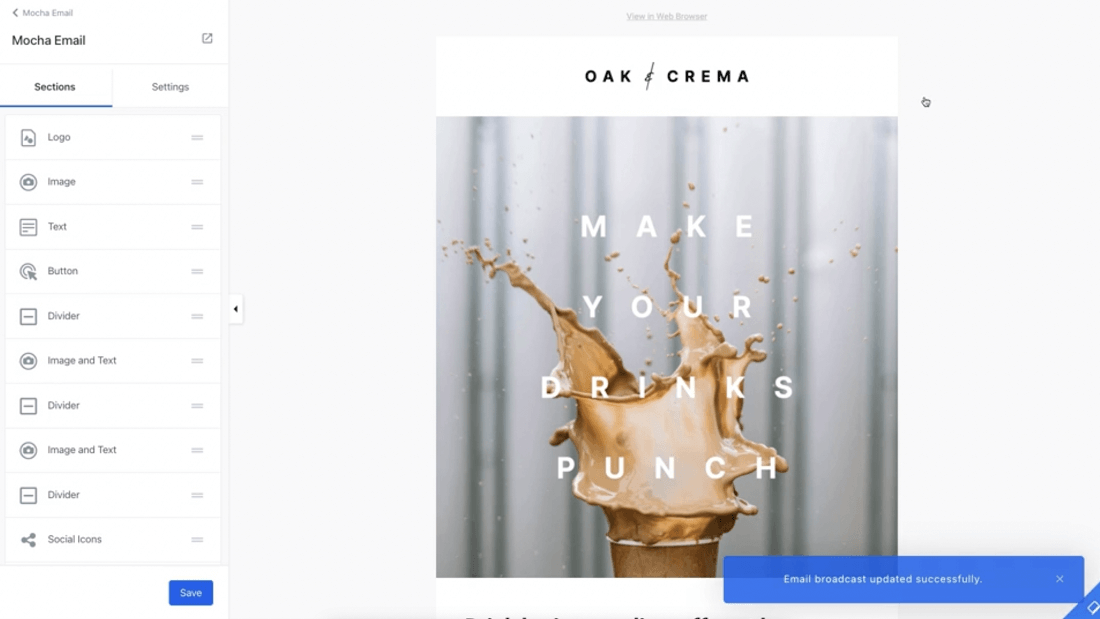
Kajabi email creator and editor
Kajabi provides email templates for any occasion, but unfortunately, the editor lacks customization options — Kajabi users are complaining about this, as it makes their emails seem suspicious and end up in their customers’ spam folders.
With Kajabi’s Pipeline feature, you can create automated sales funnels leading to lead generation and an increase in sales.
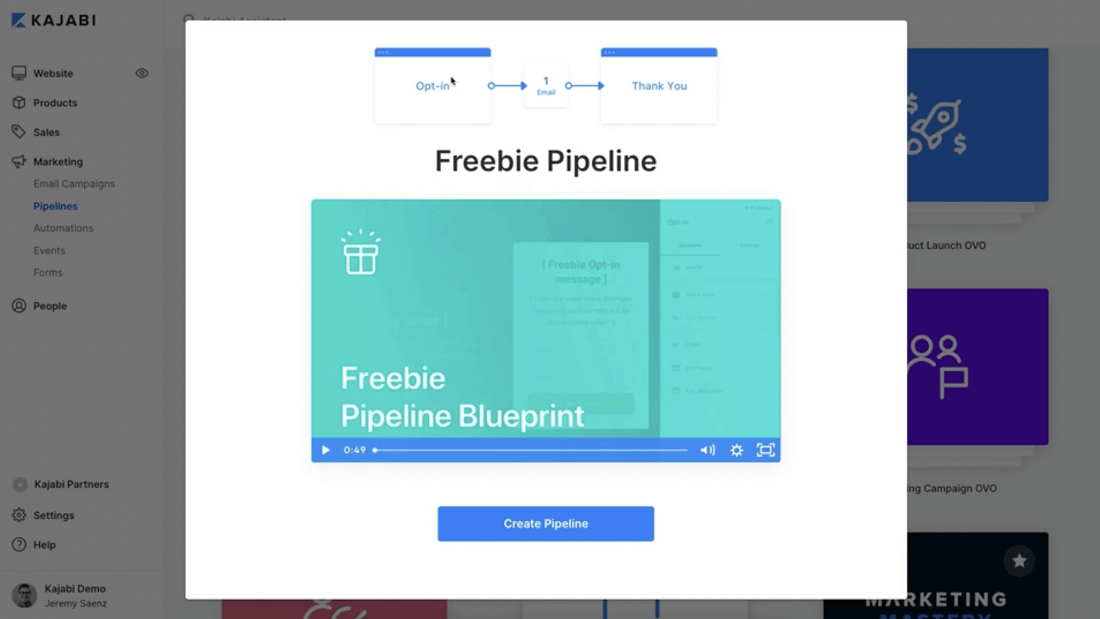
Kajabi Pipeline creator
Kajabi’s Pipeline feature allows you to:
Choose one of their pre-designed blueprints to get your sales funnel started
Customize pre-written and tested copy by filling in the blanks on your chosen template
Launch your product
Optimize your funnel by performing tests, like split testing
Kajabi boasts effective and ready-to-use templates, but what they don’t tell you is that you’ll need to upgrade your plan to get access to other more professional-looking blueprints.
4.3.2. Thinkific’s sales and marketing
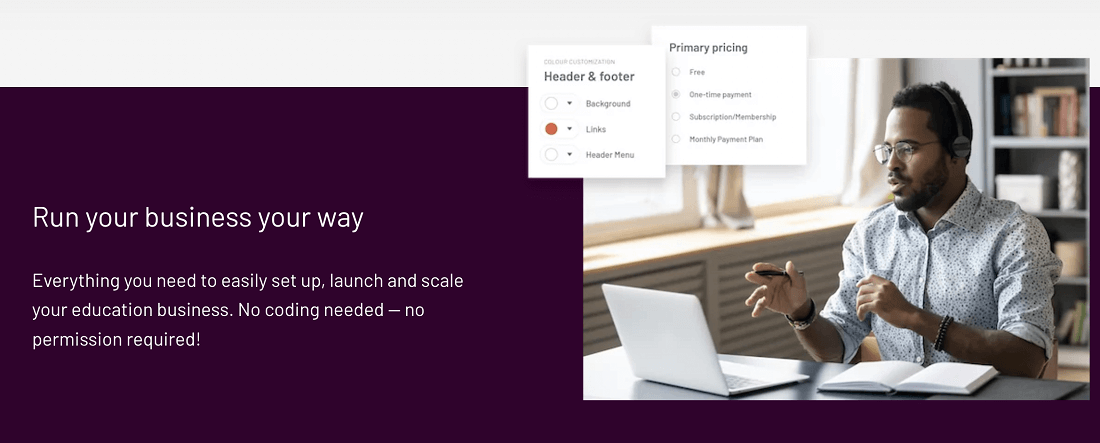
Thinkific marketing and sales tools
Thinkific’s platform is specifically designed for marketing and selling courses online.
Under the “Market & Sell” section, you’ll find most of Thinkific’s sales and marketing features:
Coupons — Set up discounts or coupons to promote and sell your courses
Sales widgets — Generate HTML code you can put on your existing website to send users to a course landing page on Thinkific or straight to checkout
Orders — Track all the sales you make
Affiliates — Enlist others to promote your courses with Thinkific’s affiliate program
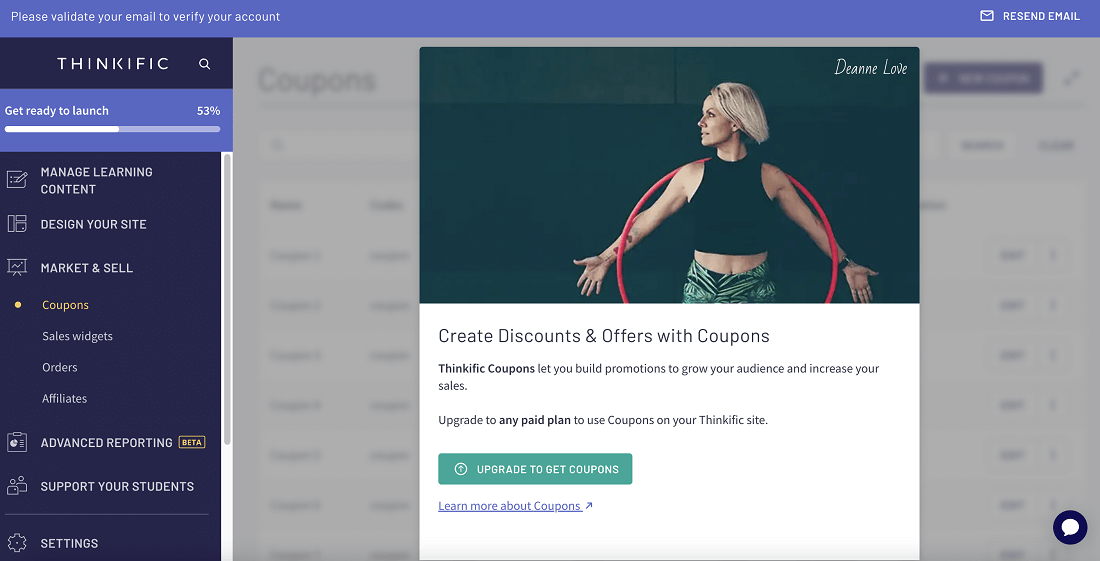
Thinkific discounts and coupons
If you want to create discounts and offers with coupons, you need to upgrade to one of their paying plans.
Additionally, Thinkific allows you to set custom pricing for each of your courses:
Free — Offer your courses for free as a lead magnet or bonus
One-time payment — Charge your students a one-time fee to access your course content
Subscription/membership — Charge your students recurring monthly fees to access your course content
Monthly payments — Split the course’s full price over multiple monthly payments
In the “Design Your Site” section, you can create sales pages, checkout pages, and order pages to market and sell your courses.
Finally, Thinkific integrates with a number of platforms to help you with your marketing and sales efforts.
4.4. Student-teacher experience
Your online course’s success depends on happy student experiences.
Here’s how Kajabi and Thinkific ensure a smooth user experience.
4.4.1. Kajabi’s student-teacher experience
Kajabi student-teacher experience
Kajabi offers features that deepen your student-teacher relationship with less effort.
These features include:
Automations — Trigger emails, coupons, and product access with simple rules you only have to set once
Keep track — Tag, segment, and filter your customers using any criteria you want
Analytics — Use what you learn from customer metrics, behavior-tagging, product engagement, and assessments to improve your marketing, automation, and products
Customer management — Manage your contacts on the same platform you do everything else
Quizzes and assessments — Create quizzes and assessments for your students to complete
Embedded forms — Add forms to your course page to gather student feedback
One thing Kajabi doesn’t have is course completion certificates — you’ll need to use a third-party app such as Canva or Google Slides if you want to reward your student after completion of the course.
4.4.2. Thinkific’s student-teacher experience
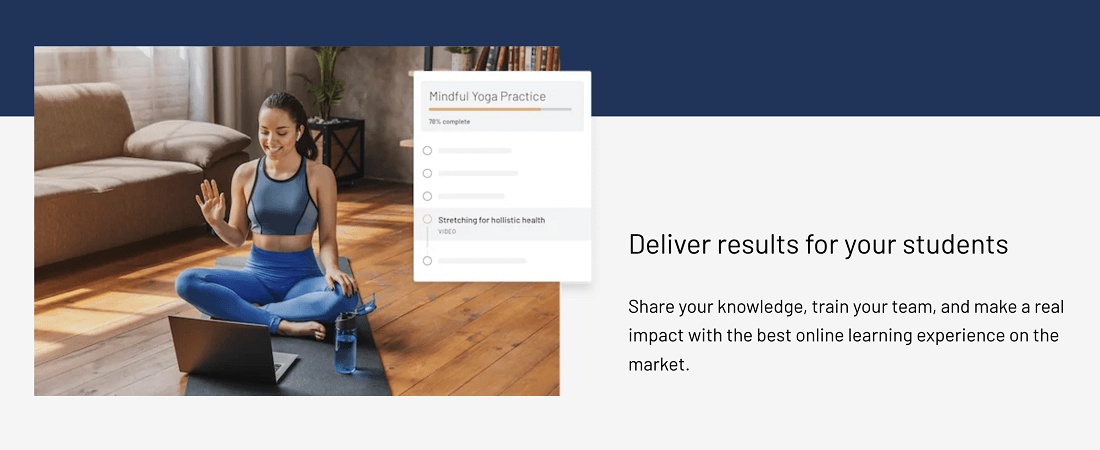
Thinkific student-teacher experience
Thinkific provides features that allow you to manage, evaluate, grade, and reward your students.
These features fall into 2 categories:
1. Managing and organizing students
Thinkific allows you to manage and organize your students from the start — when students sign up to your website, they provide you with the necessary information, which is captured and can be accessed later.
Additionally, you can sort your students into specific groups — this feature allows you to sell your courses in bulk and to a certain audience.
By sorting your students into groups you can easily track the effectiveness of your offerings with each group and refine them where necessary.
2. Student engagement and communication
With Thinkific’s Discussion feature, your students can start a discussion and you’ll be able to respond.
You can also manage the comments by categorizing them under a specific course, or “disapprove” any unwanted comments.
Additionally, Thinkific offers a Communities functionality where students can engage with and learn from each other.
Thinkific allows you to create surveys and get feedback from your students — this feature is especially helpful as you can then use the feedback and post it as social proof.
Finally, you can create and send your students course completion certificates:
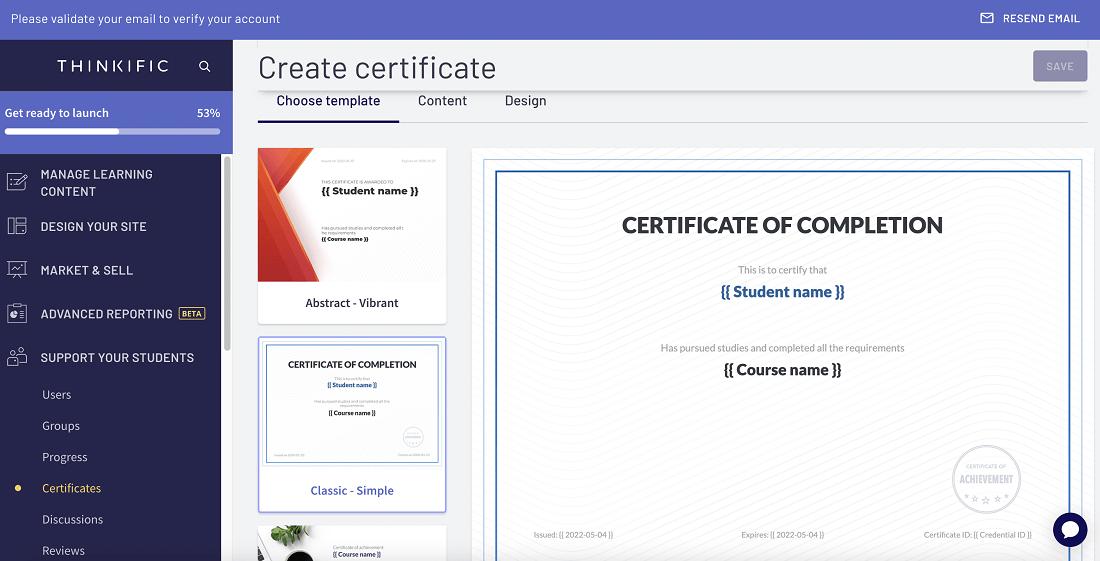
Thinkific certificate creator
With the certificate creator, you can:
Choose one of the 7 pre-built certificate templates
Fill in the content you would like to add
Customize the design, such as the colors, font, background, and logo
5. Pricing
The pricing of your course platform has a big influence on the cost and profitability of your course.
Here’s what you pay for when using either Kajabi or Thinkific.
5.1. Kajabi’s pricing
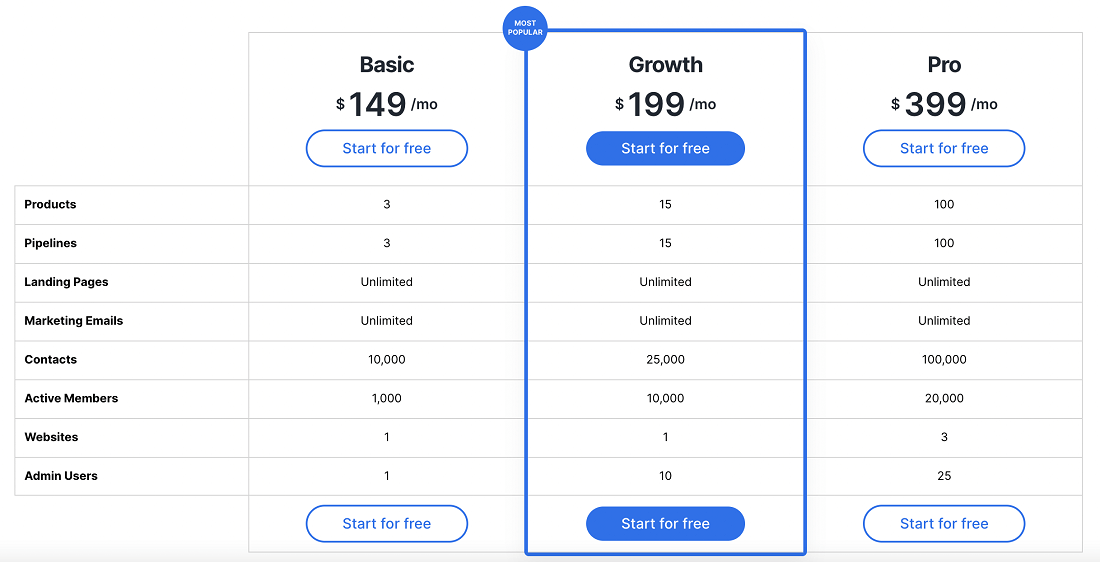
Kajabi pricing
Kajabi provides 3 pricing plans that range between $149 and $399 per month.
Kajabi has no forever-free plan; it does, however, offer a 14-day free trial on all plans.
Let’s take a look at the features that come with each Kajabi plan:
1. Basic plan — $149/month
With the Basic plan, you get:
3 products
3 pipelines
Unlimited landing pages
Unlimited marketing emails
Access for up to 10,000 contacts
1 website
Additionally, you’ll be able to access:
Kajabi University
Webinars and events
Ready-to-use templates
Assessments, such as quizzes and surveys
1 customer success activation call
The Basic plan doesn’t include the following:
24/7 chat support
Advanced automations
Ability to remove Kajabi branding
Affiliate program
Code editor
Kajabi allows you to upgrade your subscription plan at any time.
2. Growth plan — $199/month
The Growth plan includes everything that the Basic plan includes, but still does not have access to Kajabi’s code editor.
The main difference between Basic and Growth is the number of products, pipelines, and contacts available to you.
3. Pro plan — $399/month
The Pro plan includes everything that the Basic and Growth plan includes (just in greater numbers), and additionally, you’ll be able to use Kajabi’s code editor.
Kajabi Access is a new addition to the software that is specifically designed to help you maximize your success on their platform.
This feature is available as an add-on for all payment plans at an extra cost of $99/month.
With Kajabi Access, you get:
Access to Kajabi’s Code Editor — Customize your website and landing pages with advanced editing features
1:1 success sessions and weekly Hero Hub office hours — Connect directly with Kajabi’s Customer Success team and get your questions answered personally
Double the offerings on the current plan — Create double the products, double the pipelines, and more
Early access to the latest Kajabi features and products
You can also save 20% of the fees if you choose to make payments annually.
Additionally, Kajabi offers a 30-day money-back guarantee for you to test their platform.
Kajabi doesn’t charge transaction fees when you use the built-in payments software, however, if you choose to make use of Stripe, you’re charged a processing fee of 2.9% + 30¢ per transaction.
With Kajabi, there are no long-term commitments or complex contracts — you can cancel your Kajabi account from the dashboard at any time.
5.2. Thinkific’s pricing
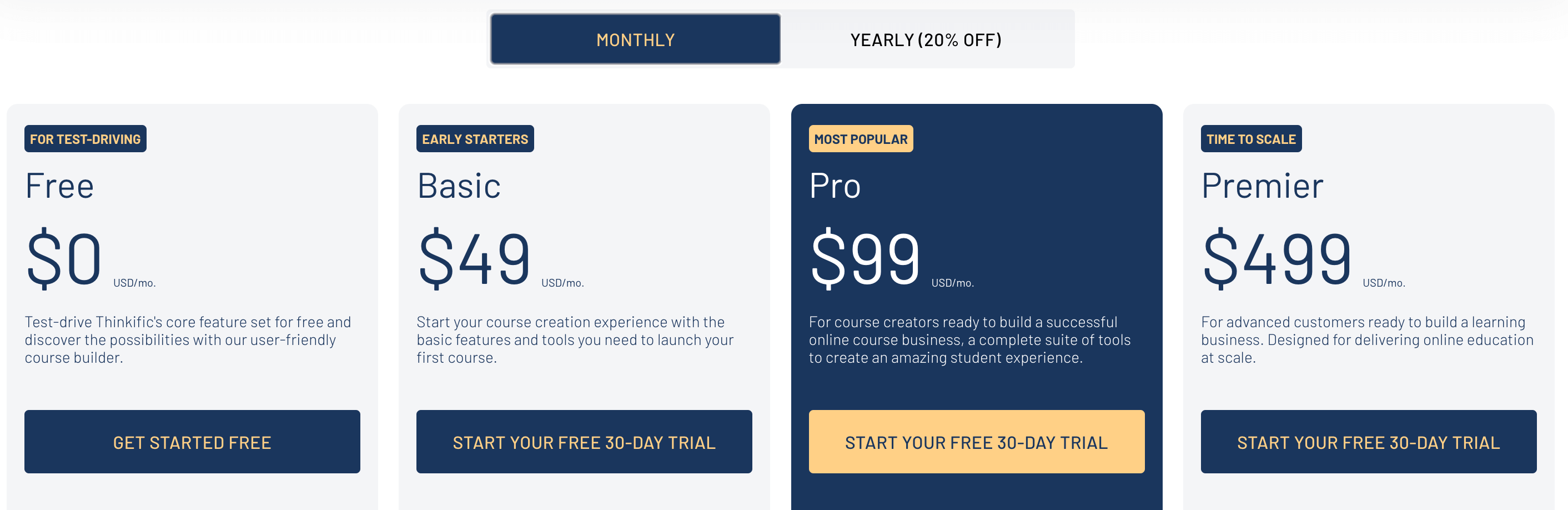
Thinkific pricing
Thinkific provides 6 pricing plans that range between $0 and $499 per month.
Let’s take an in-depth look at the features that come with each Thinkific plan:
1. Forever-Free plan
The Free plan features include:
Limited courses
Unlimited students
1 site admin account
Easy drag-and-drop Course Builder
There are too many features that aren’t included in the Free plan to name, however, here are some core features you won’t have access to:
Live chat support
Custom domain
Coupons and promotions
Drip content feature
Completion certificates
With Thinkific’s Free plan no credit card information is required at sign-up.
2. Basic plan — $49/month
The Basic plan includesall the Free plan features, and additionally you get unlimited courses, students, and content.
This plan also includes features such as live chat support, coupons and promotions, and drip content.
3. Pro plan — $99/month
The Pro plan includes all the Basic plan features and also features like priority support, private and hidden courses, and completion certificates.
If you’d like to scale your business, but you’re not sure whether you’re ready to commit to the Premier plan, Kajabi offers a Growth add-on to the Pro Plan.
4. Pro + Growth package plan — $149/month
With the Pro + Growth package plan, you get all Pro features and access to groups and communities, the ability to remove Thinkific branding, and finally advanced segmentation.
5. Premier plan — $499/month
The Premier plan includes all the additional Free, Basic, and Pro features, as well as some other high-powered features, such as onboarding packages and unlimited communities.
6. Plus plan
The Plus plan is available for big companies and high-volume customers.
There are no limitations with this subscription plan — in other words, you have unlimited access to all of Thinkific’s features.
With the Plus plan (costs determined by Kajabi), you get:
Access to a dedicated customer success team
Single sign-on
Unlimited course admin, group analysts, and revenue partners
Advanced CSS customization
Enterprise API access
24/7 monitoring
Plus portal
Custom migration planning
3+ separate Thinkific sites
And more!
Thinkific offers a 20% discount on your subscription plan if you choose to make payments annually.
You’re also capable of upgrading or downgrading to any of their other payment plans, and if you feel like the platform isn’t for you and your business, you can cancel your account at any time.
Finding the best all-in-one online course platform that fits both your needs and wallet can be difficult.
We make that decision easy with our intuitive all-in-one business-building tool — systeme.io!
6. Systeme.io: The best online course platform alternative

systeme.io logo
Systeme.io is the best alternative to create, launch, and market your online course.
With systeme.io, you can:
Create your course site with our easy-to-use editor
Integrate your course access with payments from your sales funnels and websites
Give timed access to your course via our drip feature
Create, market, and sell your course all in the same place
And so much more!
Additionally, systeme.io provides the following key features to grow your online course business:
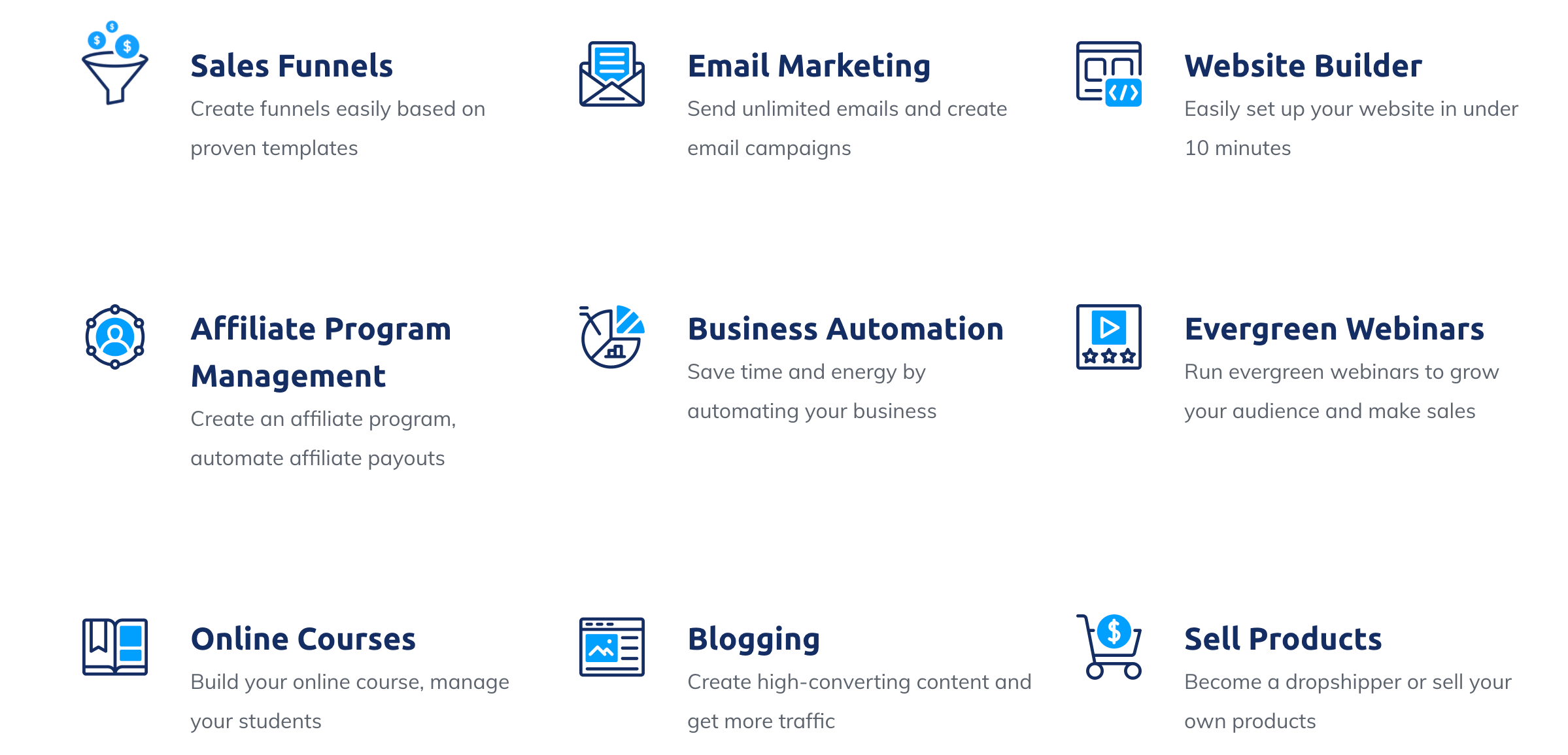
systeme.io core features
Covering each aspect of your online business doesn’t have to cost you an arm and a leg . . .
6.1. Pricing
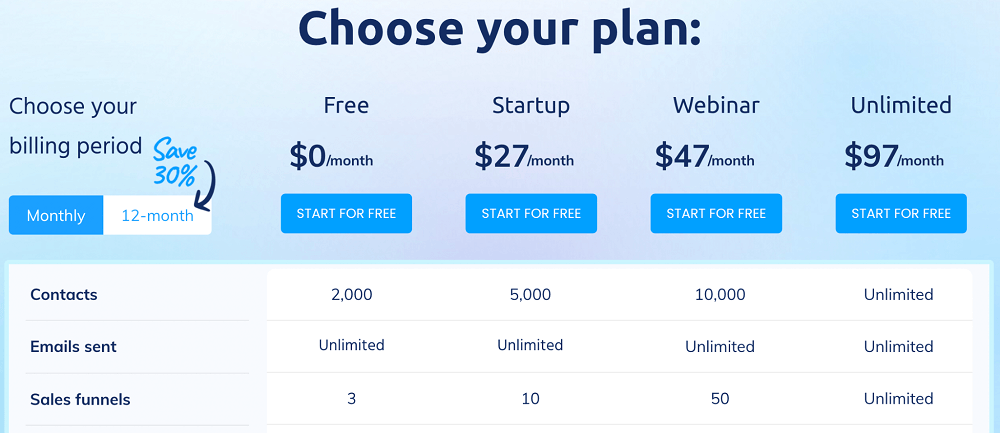
systeme.io pricing
Systeme.io provides 4 pricing plansthat range between $0 and $97 per month:
1. Forever-Free plan — $0/month
Our Free plan features include:
Access for up to 2,000 contacts
Unlimited marketing emails
3 sales funnels
Unlimited students for your courses
Additionally, you’ll be able to make use of other features such as automation, workflows, A/B tests, and receive 24/7 customer support.
2. Startup plan — $27/month
Systeme.io’s Startup plan includes all Free plan features (in greater amounts) and is essentially an upgrade for when your business starts to grow.
3. Webinar plan — $47/month
When your online business reaches 10,000 contacts, you’d ideally upgrade to our Webinar plan.
Not only will you receive access to all features included in the Startup plan at a bigger scale, but you’ll also be capable of exploring our webinar features.
4. Unlimited plan — $97/month
With the Unlimited plan, you get full access to the entire systeme.io platform’s features!
Systeme.io offers a 30% discount on your subscription plan if you choose to make payments annually, as well as free website migration.
When compared to other platforms, systeme.io offers more tools at a better price.
7. Kajabi and Thinkific FAQs

Source: Freepik.com
Here we’ve compiled a few frequently asked questions about Kajabi and Thinkific’s online course platforms, respectively.
The main difference between Kajabi and Thinkific is:
Kajabi is an all-in-one platform for creating, marketing, and selling digital products, while Thinkific simply doesn’t have all the sales and marketing tools that Kajabi has.
Yes. You are capable of selling physical products on Kajabi, however, their platform is primarily designed to sell online courses and digital products.
Yes, if you want to send course completion certificates, for example, youneed to use third-party tools such as Canva or Google Slides.
Thinkific doesn’t offer a mobile app, but their Thinkific Course Player is fully mobile responsive — this means that your students will be able to take your courses on the go from any phone, tablet, or computer.
The Thinkific platform itself doesn’t support charging multiple currencies with their built-in payment system, however, integrating with a third-party payment platform, such as Stripe, allows you to change your currency sitewide.
8. Conclusion
As mentioned above, this post was not to determine which platform is best, but rather which platform is best for you!
Kajabi made sure that they included all the necessary tools to successfully create, market, and launch courses online, however, their prices are on the expensive side and definitely not beginner-business-friendly.
Thus, if you’re new to the online course business, we would not recommend Kajabi as a first-time course creation platform.
Thinkific’s prices are less expensive, but their features are extremely limited — you can only do that much to grow your business, before needing to spend more!
However, for the best all-in-one solution that combines both cost efficiency with comprehensive features — we recommend systeme.io.
The only tool you’ll ever need to get your online course business started — sign up to systeme.io today and put us to the test!
Other posts about online course builders:


© systeme.io. All rights reserved