

Put your calendar on autopilot
Stop trading emails. Let clients book meetings and pay for sessions directly inside your sales funnels
What is the systeme.io booking calendar?
The systeme.io booking calendar is a built-in appointment scheduling tool that lets clients book time directly in your calendar, pay for sessions upfront, and receive automated reminders — all without a separate app. It syncs two ways with Google Calendar to prevent double-bookings, integrates with Zoom and Google Meet to generate meeting links automatically, and connects directly to your email list so new bookings become contacts.
Your fully integrated booking calendar
Create booking pages in minutes with an editor that’s easy to use
Sync seamlessly with Google Calendar to eliminate double-bookings
Integrate payments to charge for your sessions directly within the booking flow
Automate your scheduling with instant meeting links (Zoom/Google Meet) and email reminders
Manage your bookings, client details, and availability all in one place
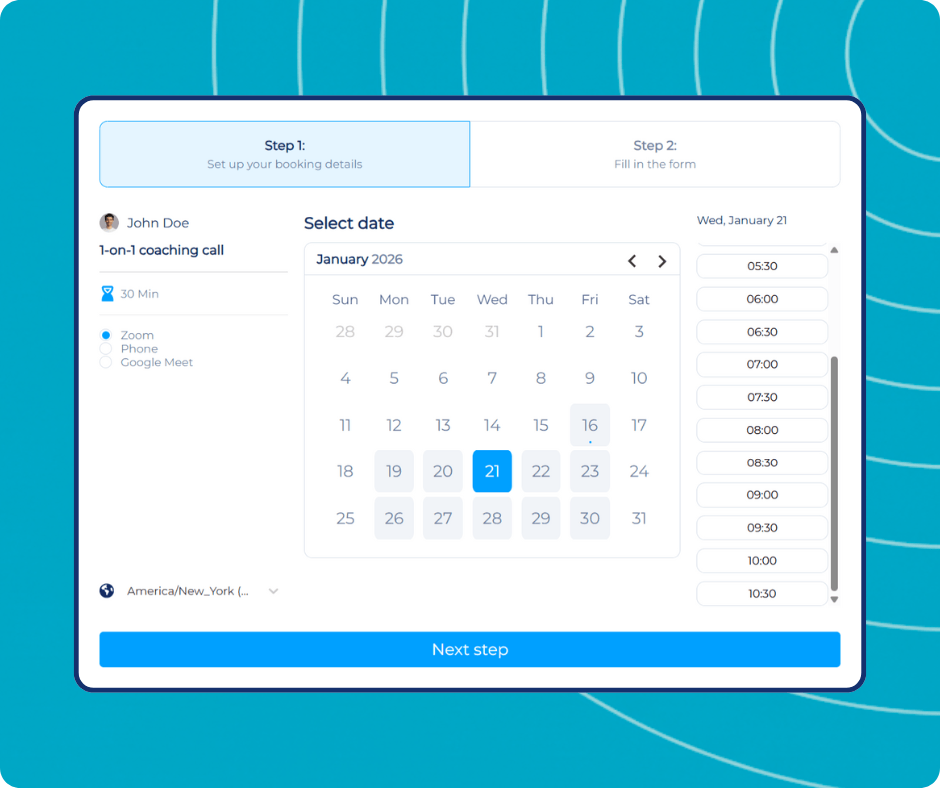
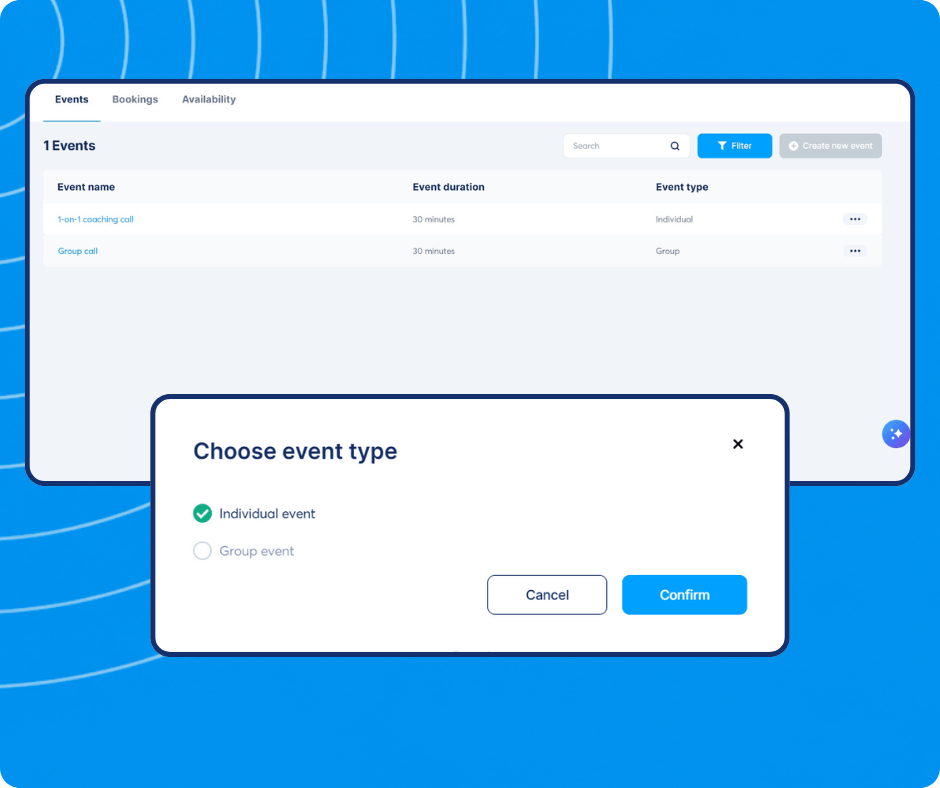
Choose your event types
Whether you need to schedule 1-on-1 coaching sessions or group workshops with multiple attendees, simply select your event type and let the system handle the capacity limits
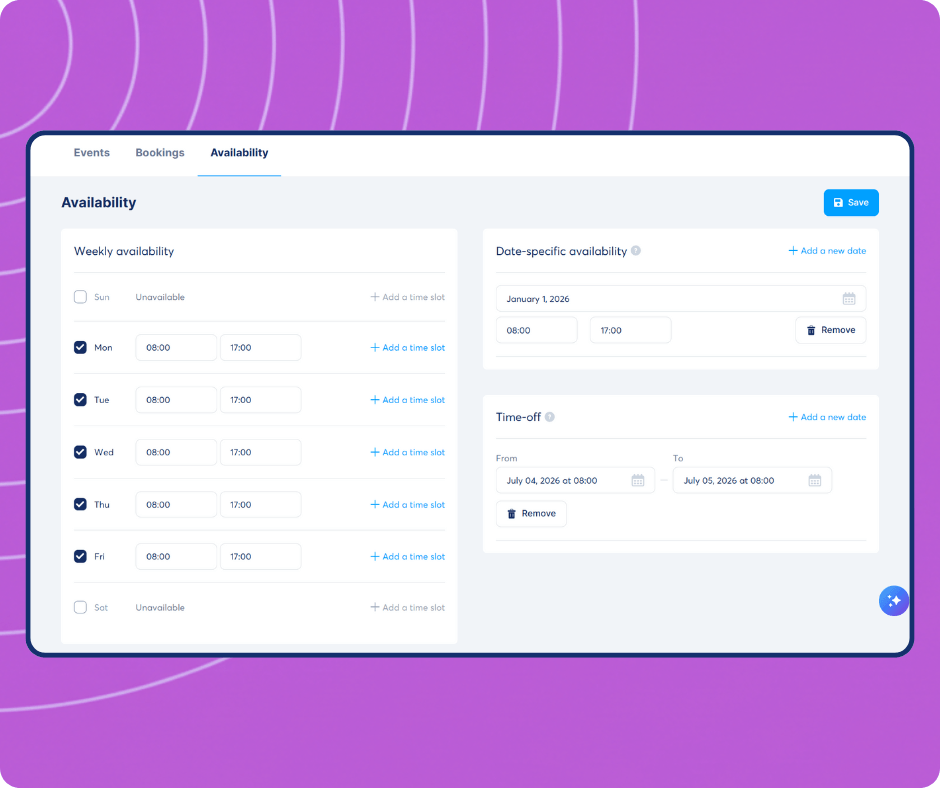
Set up your availability
Set precise limits and add automated buffer times between appointments to ensure you always have time to recharge
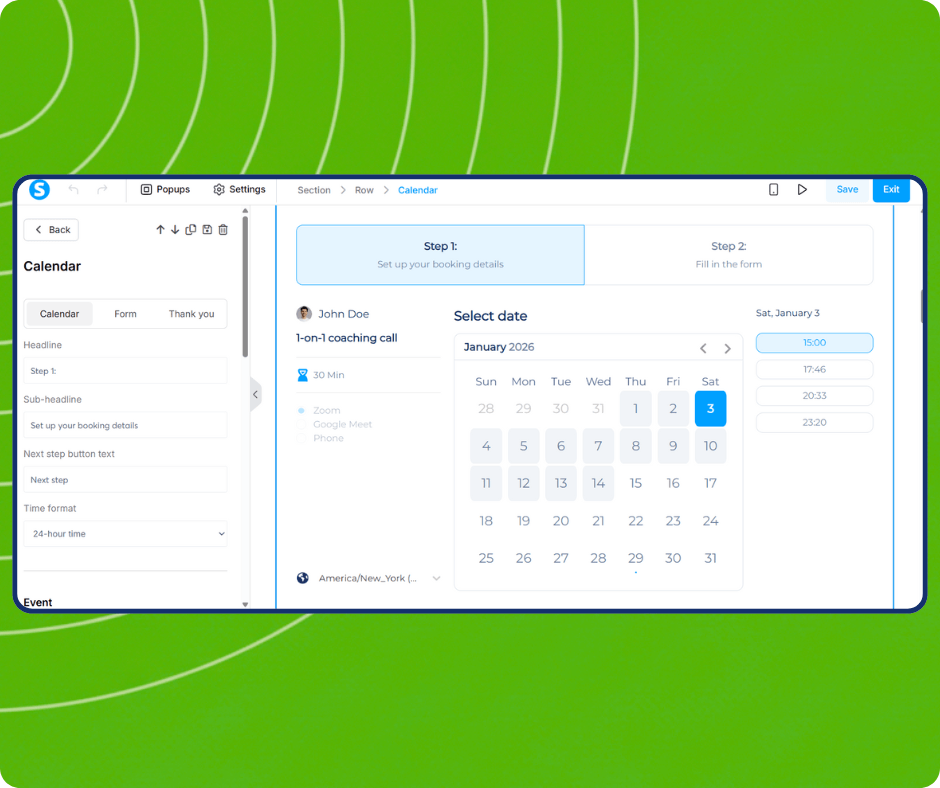
Design your booking page
Customize your booking interface, submission form, and confirmation steps directly in our drag-and-drop editor. Match your colors, fonts, and brand identity in seconds
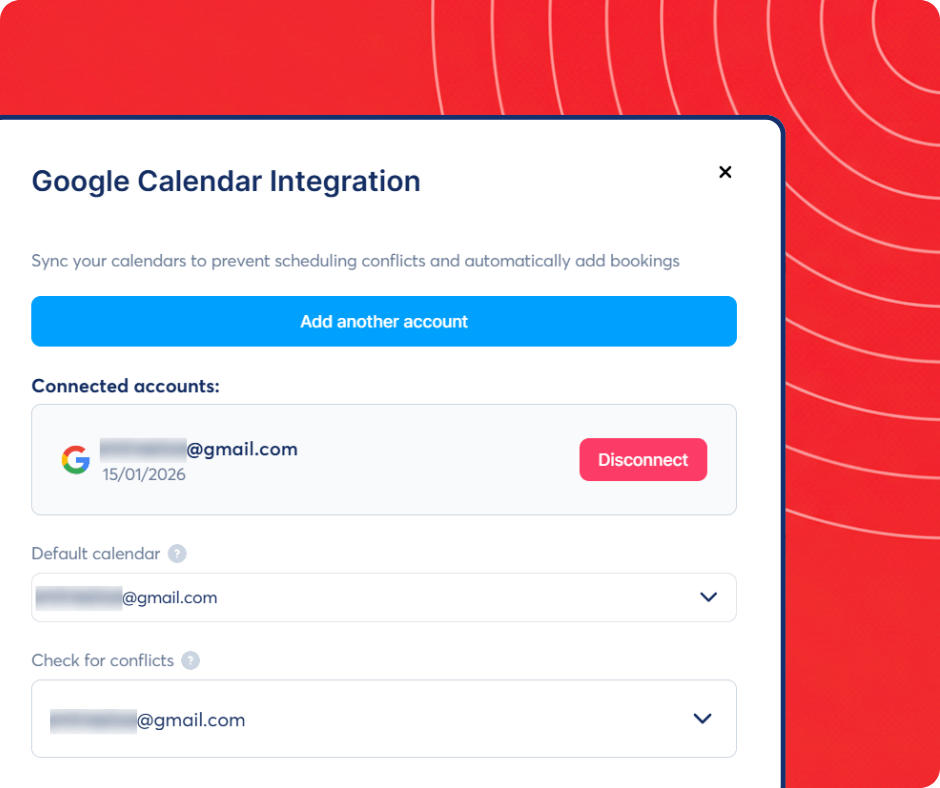
Seamless 2-way sync with Google
Connect your Google Calendar to synchronize your events in real-time. We automatically check for conflicts across your personal and business schedules so you are never overbooked
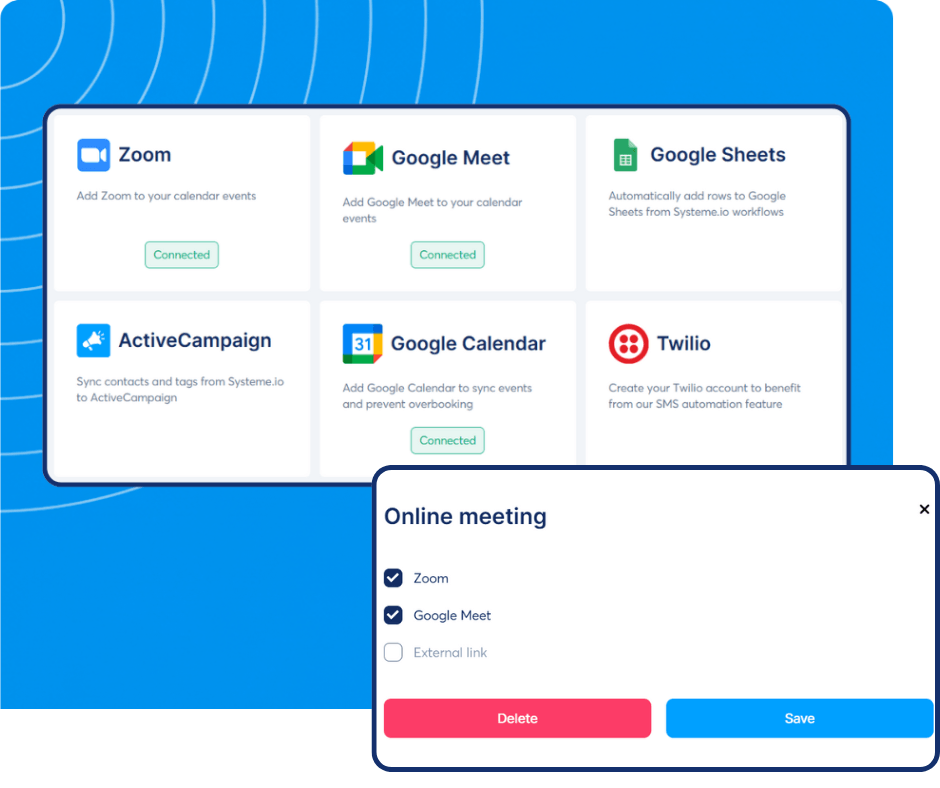
Integrate Google Meet and Zoom
Select Zoom or Google Meet, and a unique meeting link is automatically generated for every attendee. Plus, our built-in email notifications handle confirmations and reminders to ensure your clients show up on time
The only platform that has everything you need to launch, grow, and scale your online business

Fully integrated
Every feature in systeme.io works together to help save you time and effort

Simple and fast
With a tool that's made by entrepreneurs for entrepreneurs, we've simplified the business building process for you

Affordable
Get your free account or upgrade to any of our paid plans. It'll still be cheaper than what you were using
People keep telling us all the time that our tool is powerful, yet easy to use

The complete solution to grow your business online
What if you could grow your business online without technical knowledge or expensive tools?
All of these tools are critical if you want to keep up with your competitors. If you don't have them, you can't grow your business.
Systeme.io has helped thousands of entrepreneurs kickstart their businesses with a platform that's easy to use and has every tool you need - all in the same place.
Frequently asked questions about the systeme.io booking calendar
The systeme.io booking calendar lets you create a public booking page where clients choose a time slot, fill in their details, and confirm the appointment. You set your available hours, buffer times between meetings, and the maximum number of bookings per day. Once a booking is made, systeme.io sends a confirmation email to the client, adds a Zoom or Google Meet link to the invite, and adds the contact to your CRM. You manage everything from your systeme.io dashboard.
Yes. The booking calendar is included on the free plan with no additional cost. You can create appointment types, set your availability, accept bookings, and send automated reminders, all at no charge. Payment collection at time of booking is also available on the free plan via Stripe or PayPal. No upgrade is required for the core scheduling features.
Yes. You can require full payment or a deposit at the time of booking. Clients pay via Stripe or PayPal directly on the booking confirmation page before the appointment is confirmed. systeme.io charges 0% transaction fees, you keep the full amount minus the payment processor's standard rate. This removes the need for a separate invoicing tool or manual payment collection after the session.
For most coaches, consultants, and service providers, yes. systeme.io's calendar covers the core features: multiple event types, availability settings, Google Calendar sync, Zoom integration, automated reminders, and payment collection. It does not yet match the advanced team scheduling features of Calendly Teams or the complex intake form capabilities of Acuity. If your scheduling needs are straightforward, systeme.io replaces both tools, and includes email, funnels, and courses in the same account.
Set up your booking page in systeme.io and configure your event types and availability. Then replace your existing Calendly or Acuity booking links wherever they appear, on your website, in email signatures, and on social profiles, with the new systeme.io booking URL. Existing booked appointments stay in your old calendar tool until they occur. New bookings from that point go directly into systeme.io. There is no automated import of past appointments, but no appointments are lost.
Last updated: April 2026
The only tool you need to launch your online business
We make the whole process easier and faster so that you can focus on what’s important - growing your business
No credit card required


© systeme.io. All rights reserved