

Manage your CRM pipeline
Track every dollar in your pipeline. Visualize your sales cycle and ensure no opportunity slips through the cracks
What is a CRM pipeline in systeme.io?
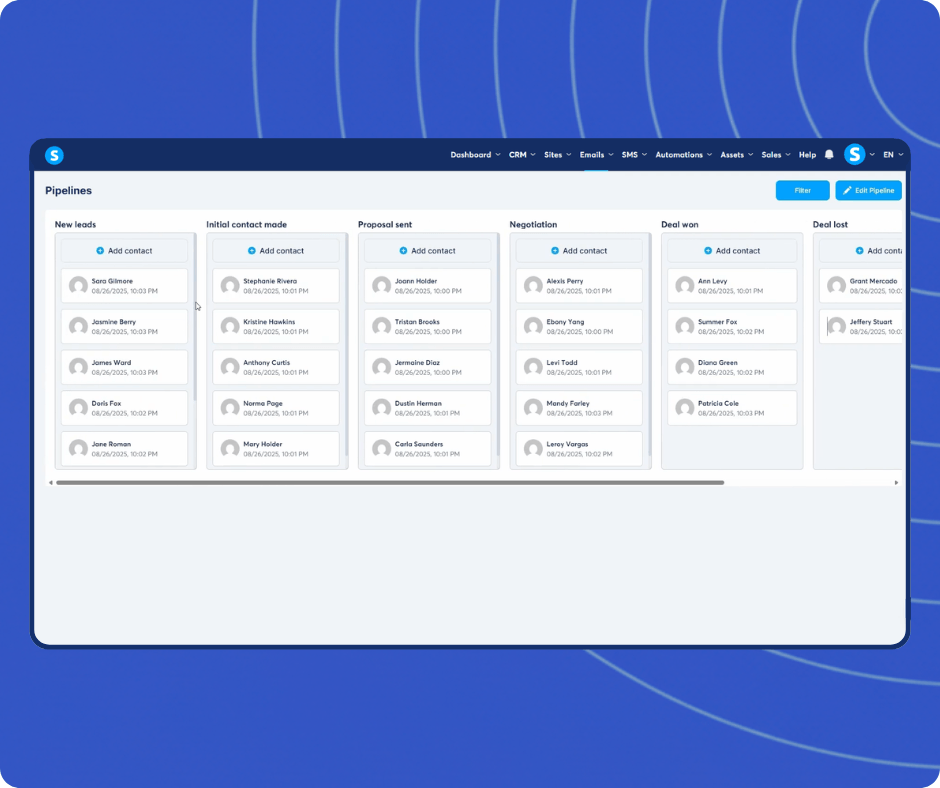
A CRM pipeline in systeme.io is a Kanban-style board that lets you track deals, leads, and opportunities as they move through your sales process. Each card represents a contact or deal, and you drag it between columns (New Lead, Demo Booked, Proposal Sent, Deal Won) as their status changes. You can add notes, log interactions, and set up automation rules that move deals automatically when a contact makes a purchase, clicks a link, or subscribes.
Manage your sales opportunities
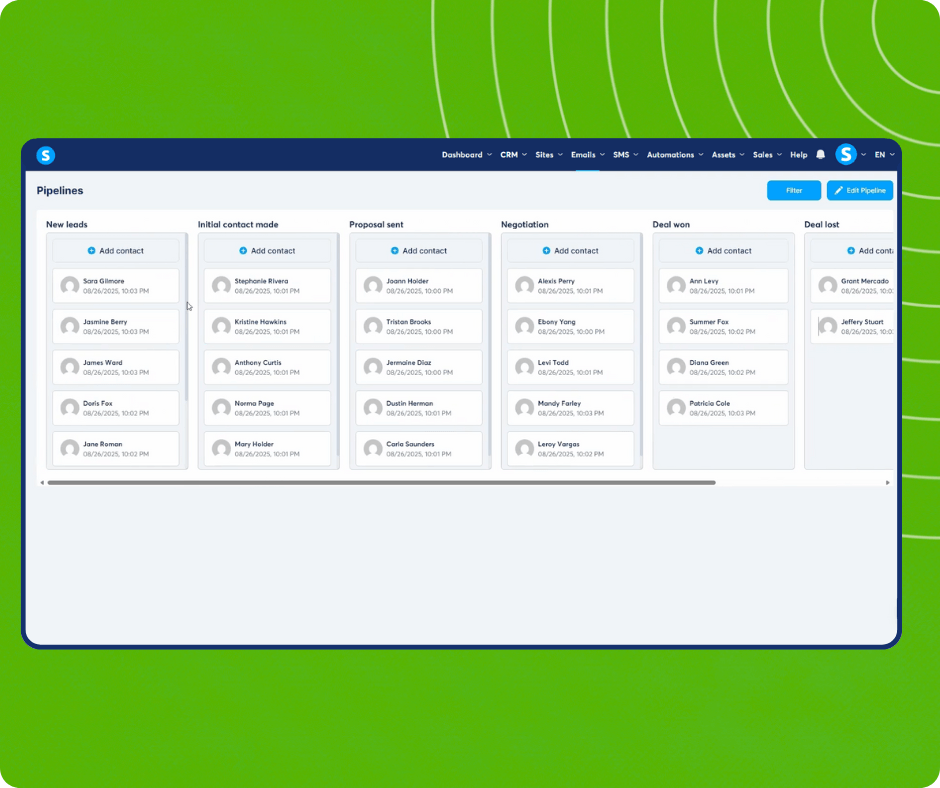
Visualize your sales cycle with a clean, drag-and-drop Kanban board
Automate lead management to move prospects between stages based on their actions
Centralize customer data, including emails, notes, and interaction history
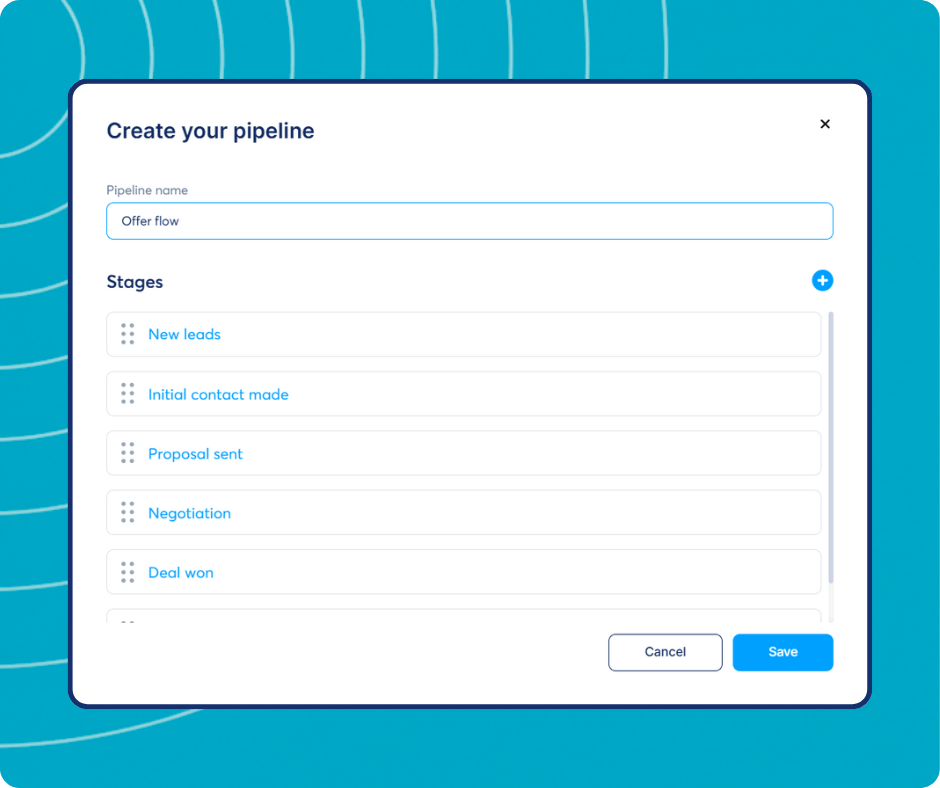
Customize your pipeline stages to fit your specific business model perfectly
Collaborate with your team to ensure no opportunity slips through the cracks
Customize your pipelines
Build a sales process that works for you. Add, remove, or rename stages to match your specific workflow, whether you are selling high-ticket coaching or B2B software
Visualize your opportunities
Get a bird's-eye view of your business. See exactly where every lead is in your dashboard, from "New Lead" to "Deal Won", and drag and drop them to the next stage instantly
Manage your contact interactions
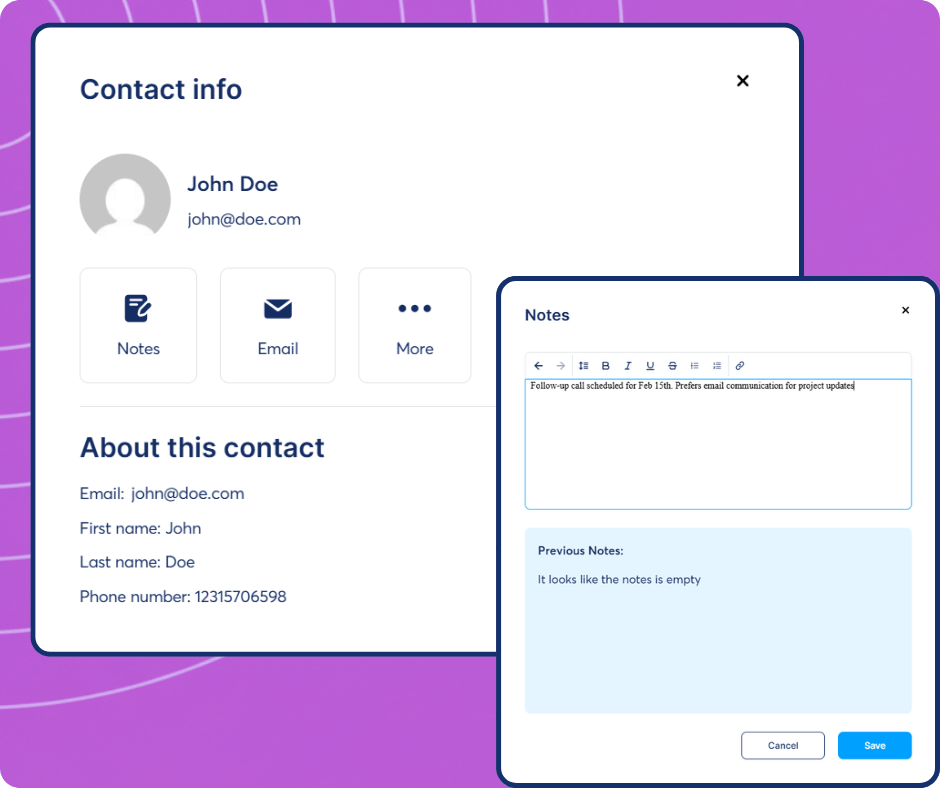
Keep your team aligned. Add internal notes to any contact profile to document calls, meetings, and deal breakers, ensuring you always have the full context before your next pitch
Automate lead movements
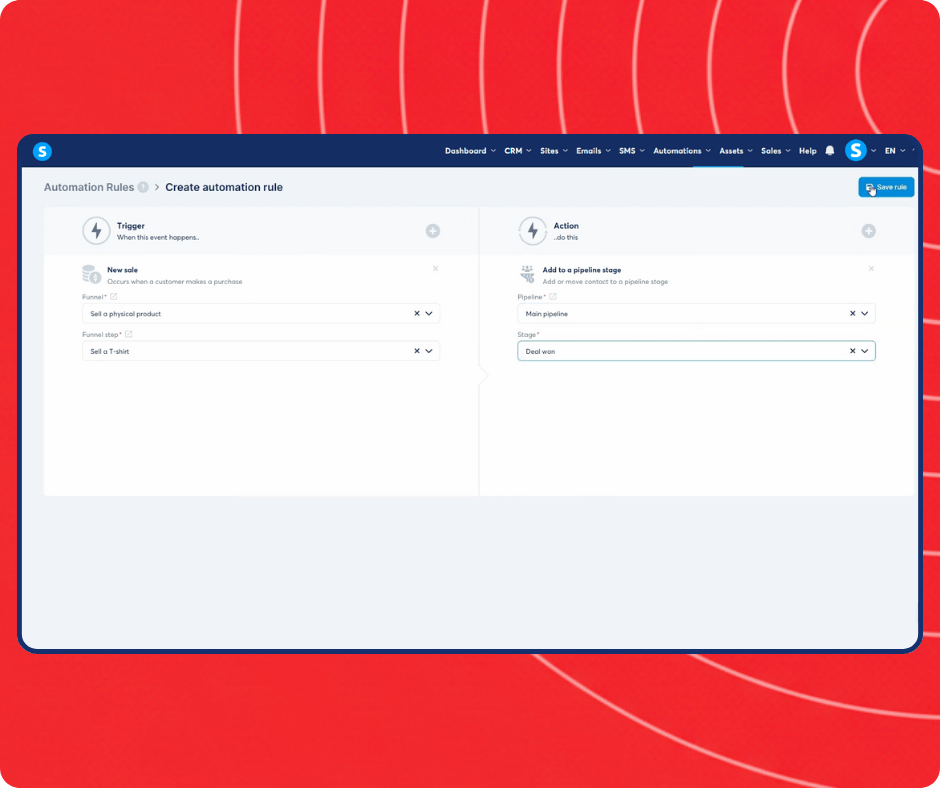
Stop updating deal stages manually. Configure automation rules to add new leads to your pipeline or move them to a new stage the moment they subscribe, click a link, or make a purchase
The only platform that has everything you need to launch, grow, and scale your online business

Fully integrated
Every feature in systeme.io works together to help save you time and effort

Simple and fast
With a tool that's made by entrepreneurs for entrepreneurs, we've simplified the business building process for you

Affordable
Get your free account or upgrade to any of our paid plans. It'll still be cheaper than what you were using
People keep telling us all the time that our tool is powerful, yet easy to use



The complete solution to grow your business online
What if you could grow your business online without technical knowledge or expensive tools?
All of these tools are critical if you want to keep up with your competitors. If you don't have them, you can't grow your business.
Systeme.io has helped thousands of entrepreneurs kickstart their businesses with a platform that's easy to use and has every tool you need - all in the same place.
Frequently asked questions about the systeme.io CRM pipeline
A CRM pipeline is a visual representation of your sales process, showing every deal you are working on and where it stands. systeme.io's CRM uses a Kanban board format where each column is a stage (e.g., Lead, Qualified, Proposal, Closed). You drag deal cards between stages, add contact notes, and set up automation rules to move cards automatically when a contact takes a specific action. Because the CRM is built into systeme.io, deal contacts are the same contacts in your email lists and automation workflows, no syncing required.
Go to CRM in your systeme.io dashboard and click "Create a pipeline." Name your stages to match your sales process and add as many columns as you need. You can create multiple pipelines for different products or services. Deals are added manually or automatically — for example, an automation rule can create a new deal card when a contact submits a form or starts a free trial. Each deal card stores the contact's email, notes, and activity history.
Yes. Automation rules in systeme.io can move deal cards between pipeline stages, send emails, add tags, or trigger other actions based on contact behavior. For example: when a contact books a call (trigger), the system moves their deal card to "Demo Booked" and sends a confirmation email automatically. This removes the need to manually update the pipeline or remember to follow up.
Yes, the CRM pipeline feature is included on the free plan at no cost. You can create pipelines, add deals, move contacts between stages, add notes, and set up basic automation rules. The free plan limits your total contacts to 2,000, which also applies to CRM contacts. If you need more than 2,000 contacts in your CRM, the Startup plan ($17/month) supports 5,000.
Export your contacts from your current CRM as a CSV file and import them into systeme.io under Contacts. Map fields like name, email, phone, and any custom data. Then manually create your pipeline stages in systeme.io and move contacts into the appropriate stage. For large migrations, the systeme.io support team can help, contact them after signing up for the Unlimited or annual plan.
Last updated: April 2026
The only tool you need to launch your online business
We make the whole process easier and faster so that you can focus on what’s important - growing your business
No credit card required


© systeme.io. All rights reserved