
Put your business on autopilot
Marketing automation that handles all the finer details, so you don't have to
What is marketing automation in systeme.io?
Marketing automation in systeme.io lets you create rules and workflows that run your business without manual action. When a contact completes a trigger — signing up, making a purchase, clicking a link, or reaching a specific date — the system automatically sends emails, grants course access, updates tags, or moves them to a different funnel. You build these workflows using a visual drag-and-drop editor with no coding required.
All the marketing automation you need under one roof
Capture leads automatically with integrated funnels and emailing
Segment your audience automatically by adding tags based on user behavior
Automate repetitive email sequences for products and courses
Add automated rules to any element of your website and funnel
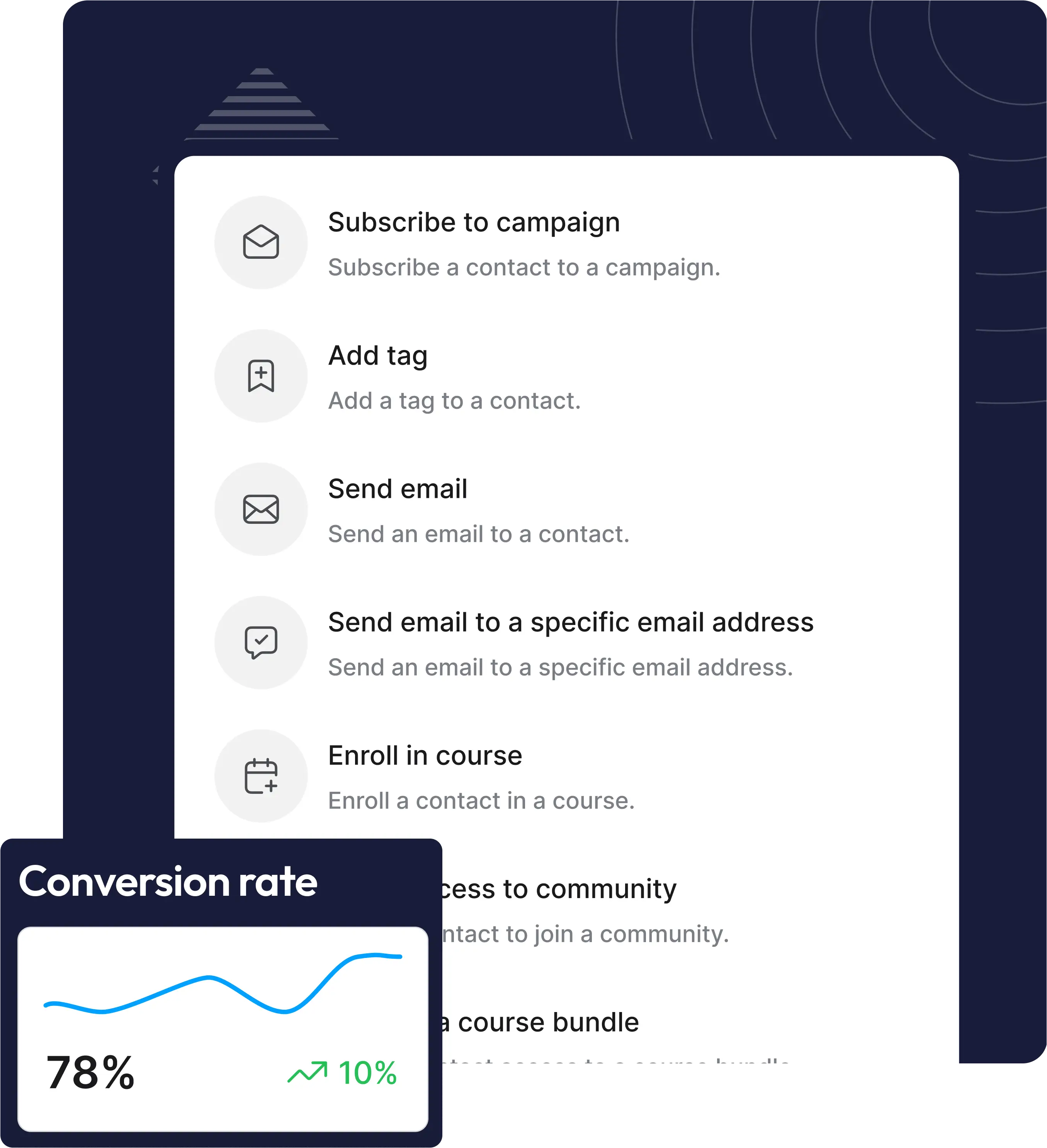
Automatically trigger emails and course access
Set up simple rules
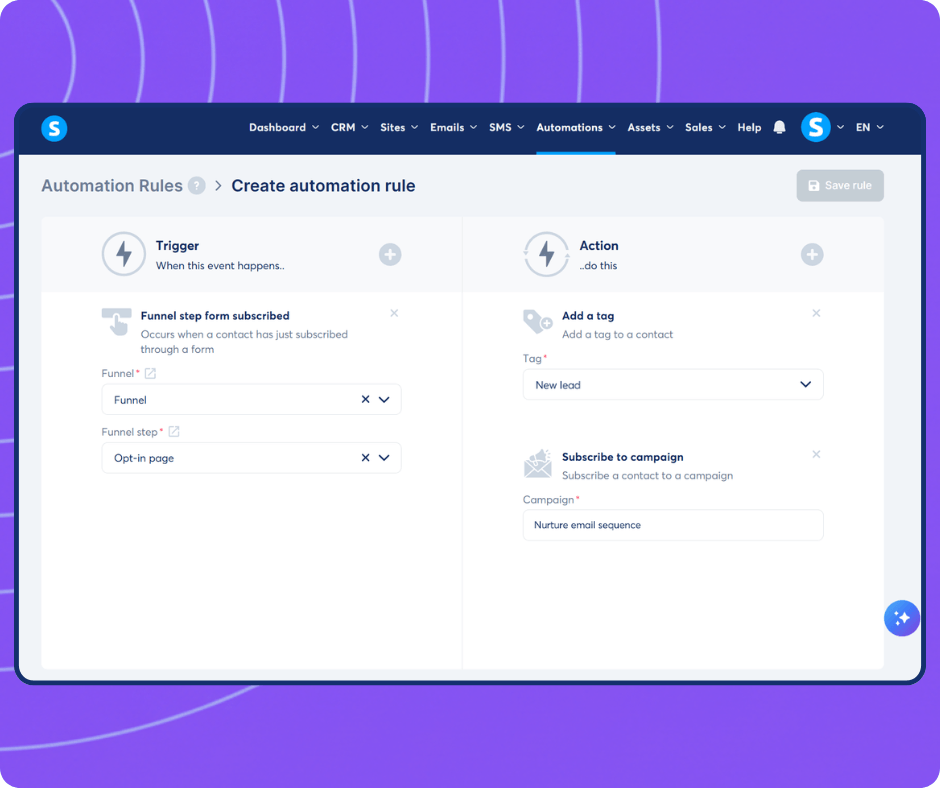
Make your tools work together by simply pairing a trigger like "Form subscribed" with an action like "Subscribe to campaign," and let the system handle the rest instantly
Segment based on behavior
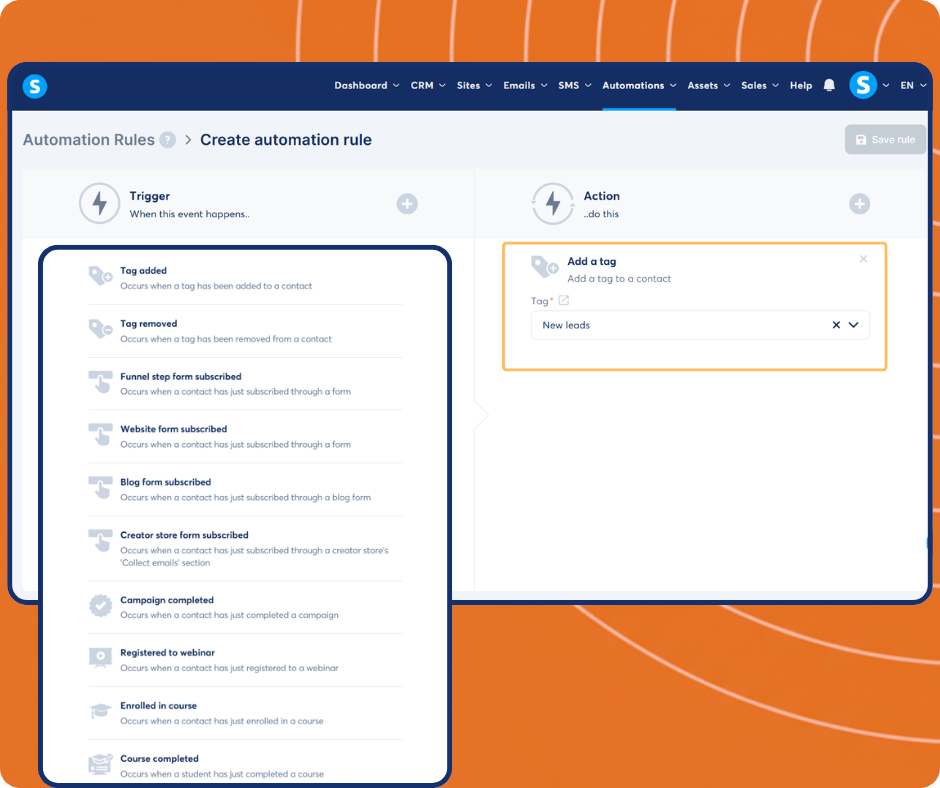
Know exactly what your audience wants. Automatically assign tags to your contacts based on their actions, ensuring your email list is always perfectly segmented
Automate your client journey
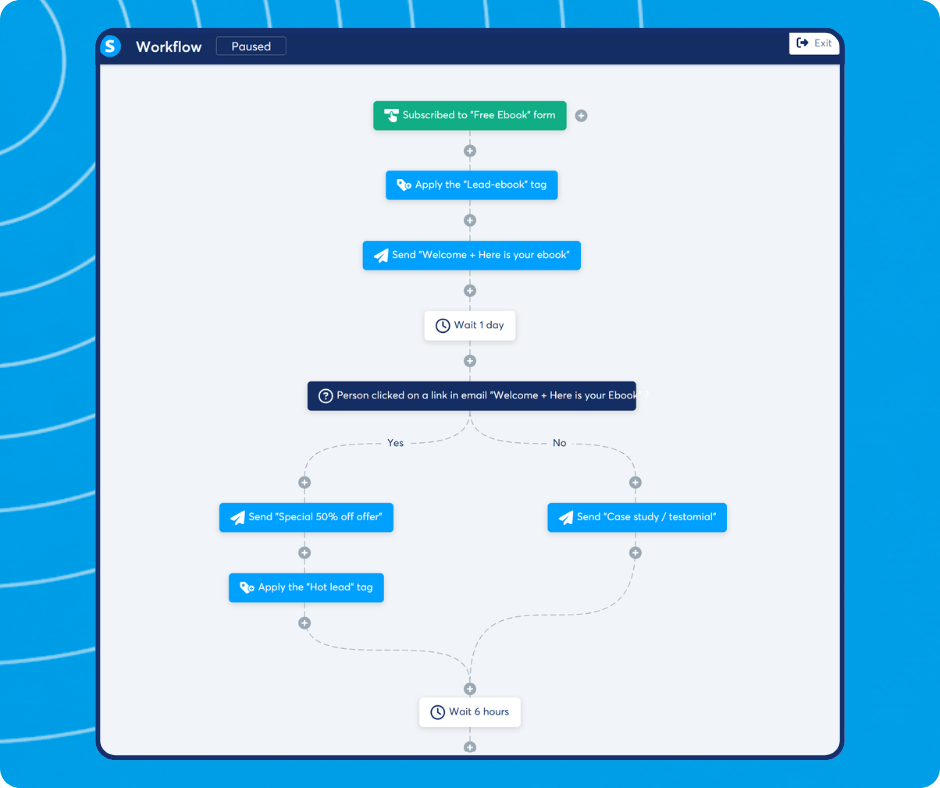
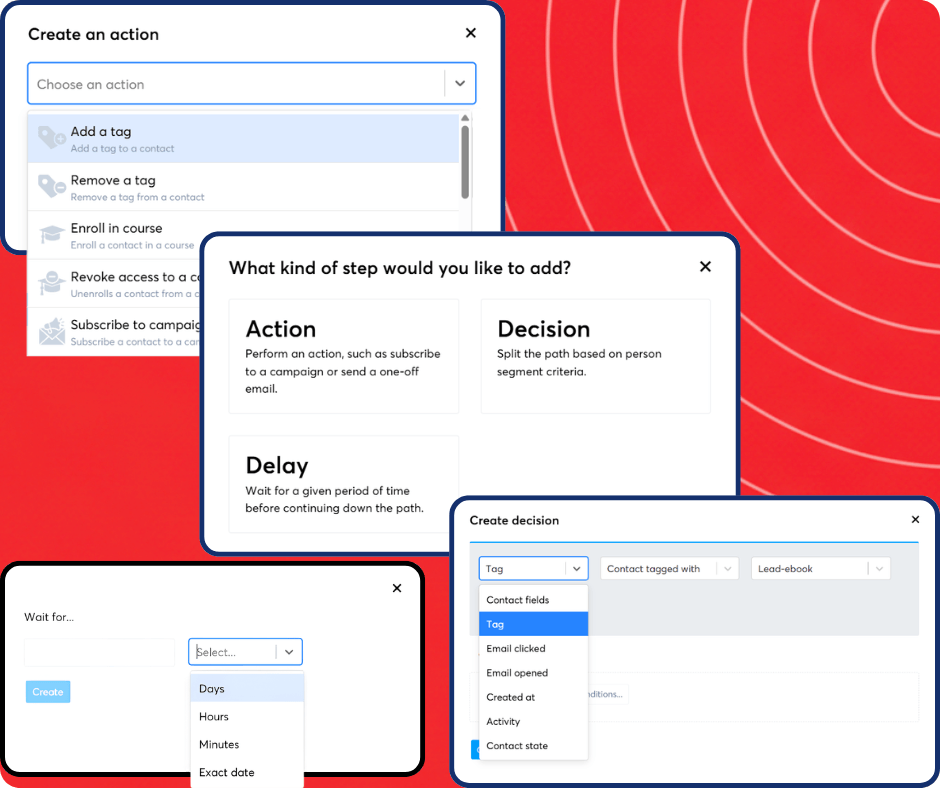
Map out your entire sales and marketing process using our intuitive workflow builder. Combine automated actions, smart decisions, and timed delays to deliver a personalized experience to every customer based on their behavior
Build custom visual workflows
Take full control of your customer journey. Combine automated actions, smart decisions to split paths based on user behavior, and strategic delays to deliver the perfect message at exactly the right time
The only platform that has everything you need to launch, grow, and scale your online business

Fully integrated
Every feature in systeme.io works together to help save you time and effort

Simple and fast
With a tool that's made by entrepreneurs for entrepreneurs, we've simplified the business building process for you

Affordable
Get your free account or upgrade to any of our paid plans. It'll still be cheaper than what you were using
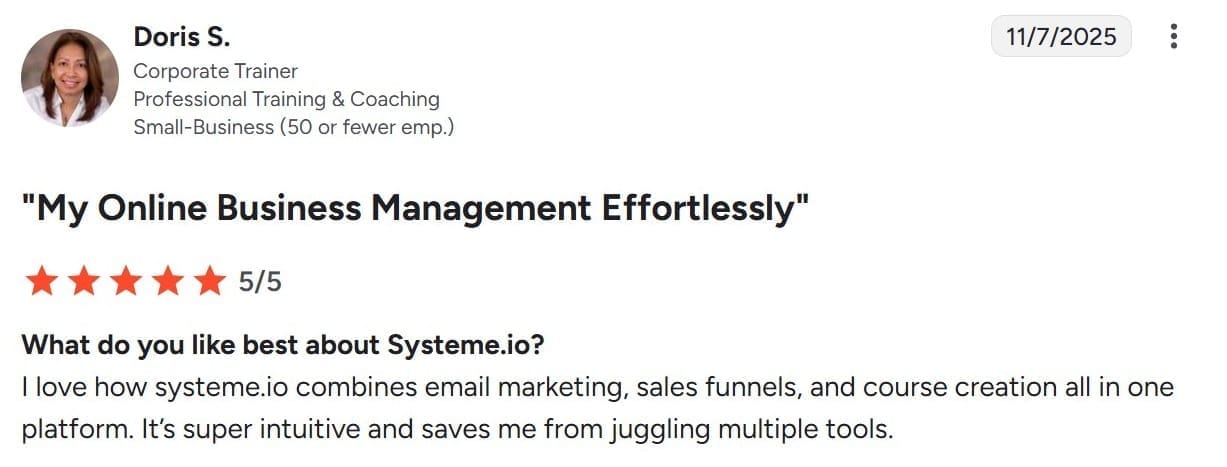
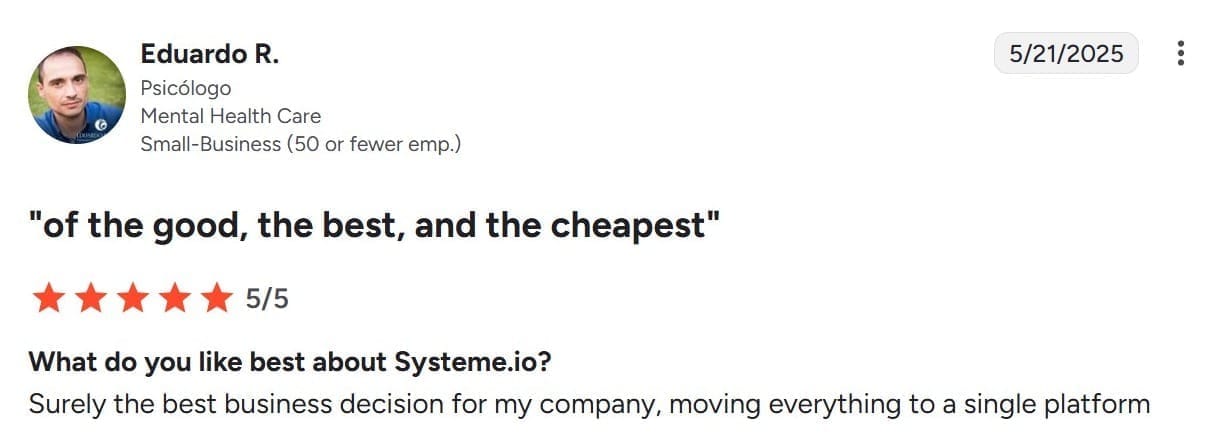
People keep telling us all the time that our tool is powerful, yet easy to use

The complete solution to grow your business online
What if you could grow your business online without technical knowledge or expensive tools?
All of these tools are critical if you want to keep up with your competitors. If you don't have them, you can't grow your business.
Systeme.io has helped thousands of entrepreneurs kickstart their businesses with a platform that's easy to use and has every tool you need - all in the same place
Frequently asked questions about systeme.io marketing automation
Marketing automation in systeme.io works through two tools: simple automation rules (if/then triggers attached to any element) and visual workflow builders (multi-step sequences triggered by events). A rule might say: "If a contact subscribes to my list via this form, add the tag 'lead' and enrol them in email sequence #3." A workflow can include delays, conditions, branching logic, and multiple actions. Both tools run in the background 24/7 without any manual effort after setup.
Go to Automation in your systeme.io dashboard and click "Create a workflow." Choose a trigger (e.g., "contact subscribes to a tag") and add actions below it, send email, add tag, grant course access, move to funnel, or add a delay. Save and activate. The workflow runs automatically for every contact that matches the trigger from that point forward. Most basic workflows take under 5 minutes to build.
For most small businesses, yes. systeme.io handles automation between its own tools natively, email, funnels, courses, contacts, and tags all share the same data without needing Zapier to connect them. If you use external apps (Shopify, Stripe directly, Google Sheets), Zapier is still useful for those integrations. But if your business runs entirely within systeme.io, there is no need for Zapier or a separate email platform like Mailchimp for automation.
Yes. The visual workflow builder uses drag-and-drop blocks — no coding, no developer, no API keys. Most beginners can build a working email sequence and tag-based segmentation workflow in under 30 minutes on their first day. systeme.io also provides pre-built templates for common workflows like welcome sequences, abandoned cart follow-ups, and post-purchase onboarding.
Yes — this is one of systeme.io's core advantages over single-tool platforms. Because email, tags, funnels, and contacts all live in the same system, a single automation workflow can: add a tag when someone visits a funnel page, send a timed email sequence, grant or revoke course access, and move the contact to a different funnel step — all in one flow. You do not need to sync data between separate tools for any of these actions.
Last updated: April 2026
The only tool you need to launch your online business
We make the whole process easier and faster so that you can focus on what’s important - growing your business
No credit card required


© systeme.io. All rights reserved